

Street frontage is the width of a lot along the street. It decides whether a site can be split, how many driveways fit and what you can build. In Stash you can see frontage on any property, search by it, and filter your pipeline by it.
Before you start
Searching by frontage needs an active Stash subscription or free trial. If the frontage fields show a lock icon, the feature isn’t included in your account. See plans.
See a property’s frontage
Open any property. Its Frontage shows with the other property details at the top of the property page, and in the Planning & Development Potential card on the Planning Insights tab. To compare it with the council’s minimum, see Minimum lot size and zoning details.
Search for sites by frontage
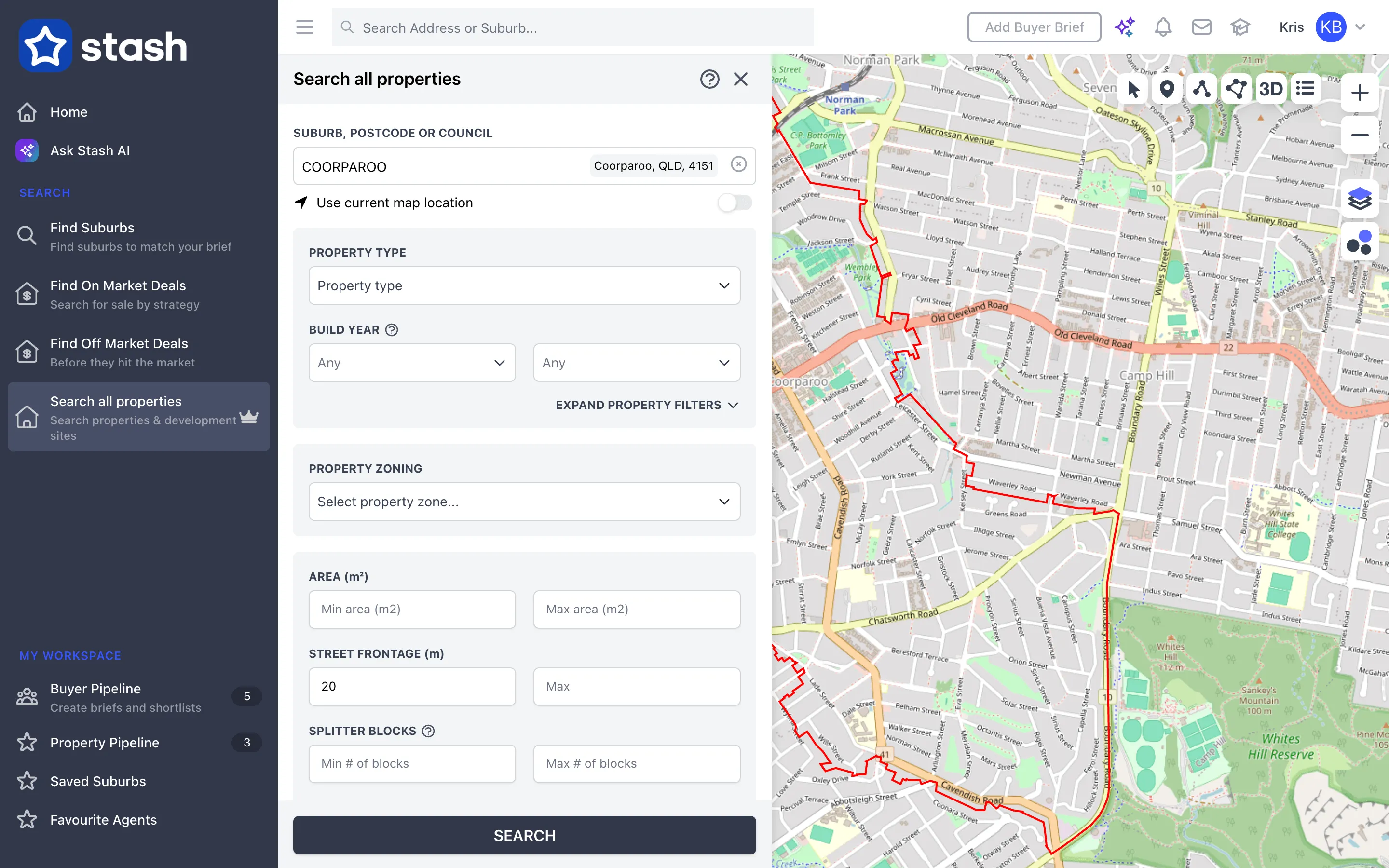
- Open the property search. In the side menu, click Search all properties (Find Prospects for real estate and property services accounts).
- Choose the area. Enter a suburb, postcode or council in Suburb, Postcode or Council, or switch on Use current map location.
- Set the frontage. Under STREET FRONTAGE (m), enter a Min, a Max or both.
- Add other filters. Combine frontage with Property Zoning and AREA (m²) to find development sites. Under the land filters you can also tick Include Corner Block properties only or Include Dual Access properties only, which often have more usable frontage.
- Click SEARCH. Matching properties appear on the map and in the results. Hover over a result to see its address, land area, frontage and zoning.
In the results, you can refine further with More Filters, which has its own Frontage (m) range. Switch to Table view to sort and compare frontage across results. See Search filters and table view.
Filter your saved properties by frontage
- Open your pipeline. In the side menu, click Property Pipeline.
- Click More Filters.
- Set the frontage. Enter a minimum, maximum or both under Frontage (m). Only saved properties in that range will show.
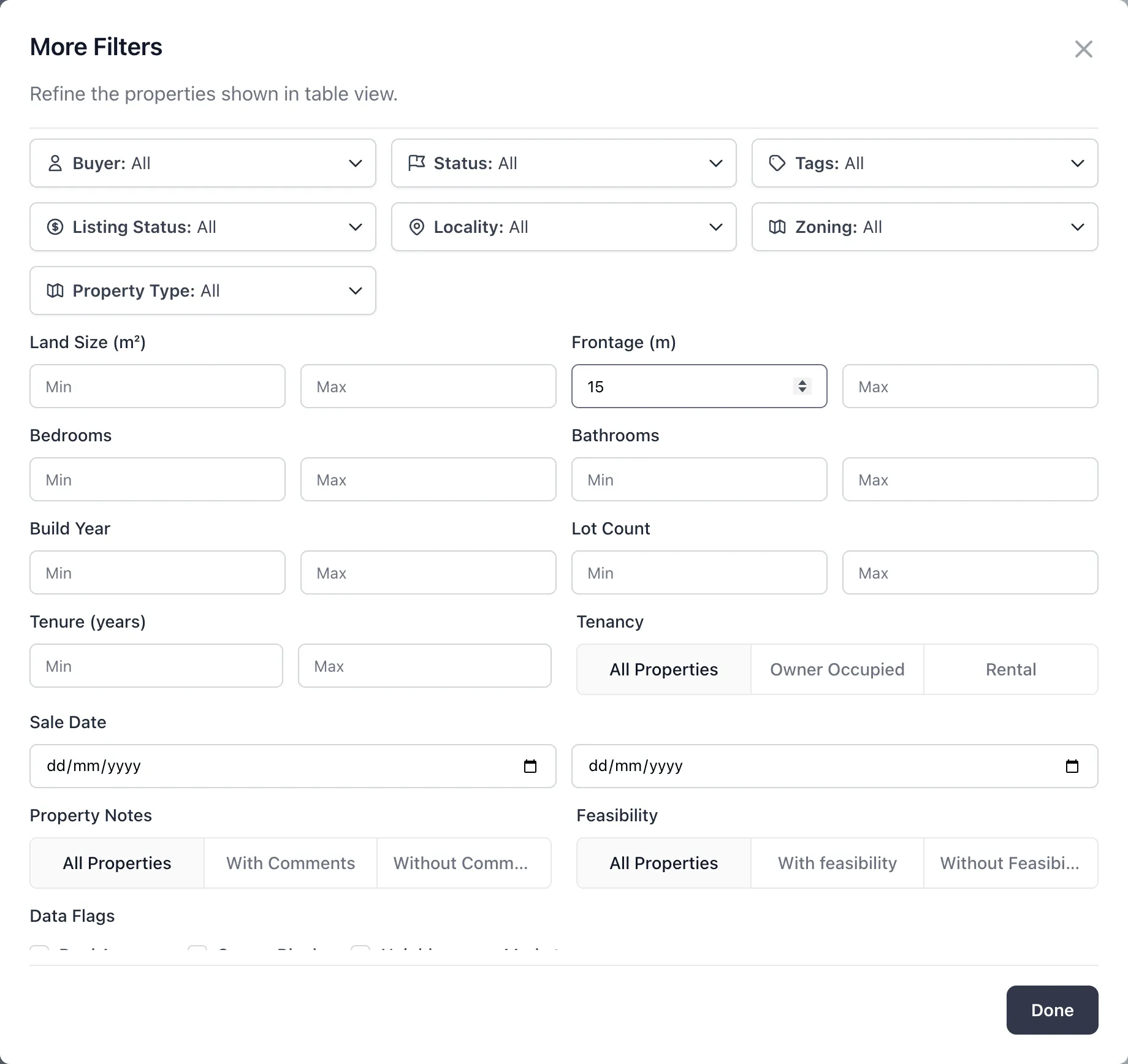
See Filter and track saved properties.
The frontage figure is a guide only, and corner blocks and irregular lots may be measured differently by council. To check a boundary yourself, see Measure distance, and confirm with a surveyor before you rely on it.
Common questions
Why is frontage blank for a property?
Frontage isn’t available for every property. Where it’s missing, measure the boundary yourself with Draw Lines. See Measure distance.
Can I find corner blocks?
Yes. Tick Include Corner Block properties only in the search. This is based on available data and may not be accurate for every property.