

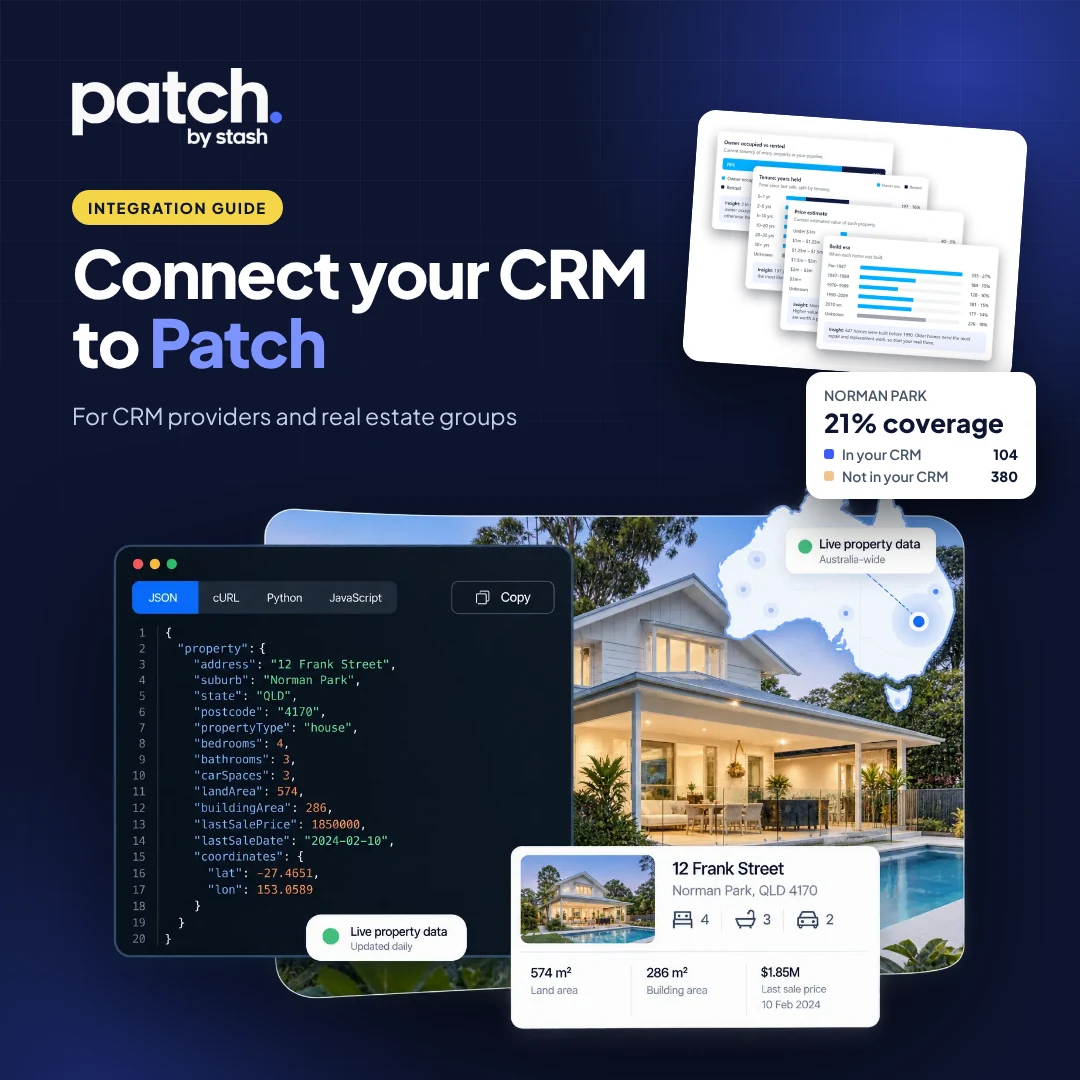
Your clients already keep their most valuable asset in your CRM: thousands of properties and the owners behind them. What most CRMs can’t tell an agent is what is happening to those properties right now. Which ones just listed with someone else? Which owners have held for 20 years? Which listings did the office miss last quarter, and who won them?
That is what Patch by Stash does. This guide is for CRM product, partnership and development teams who want to offer it. It explains how a Patch CRM integration works, what it costs your clients, and how little you need to build.
In this guide:
- What Patch does with your clients’ properties
- The four steps: become a partner, connect the client, send the properties, use what Patch finds
- The endpoints and fields your developers need, from geocoding to the Property Pipeline
- Reading the analysed database back, and searching it in plain English
- The option to let Stash run the sync for you
- Pricing per record, and billing through Stash or wholesale through you
What is Patch by Stash?
Patch is the database insights and monitoring layer of Stash. It matches every property in an agent’s CRM to the 13M+ properties in Stash, monitors them, and turns the results into insights: just-listed alerts, the listings an office missed (and which agency and agent won them), database health such as owner-occupiers vs renters and years held, and the opportunities worth a call this week. Agents can use Patch inside Stash, or keep living in their CRM and let Patch feed it.
Why a Patch CRM integration matters to your clients
A CRM holds the relationships. Stash holds the property data. On their own, each answers half the question an agent asks every morning: who in my database should I call today, and why?
Once a CRM is connected, Patch monitors every property in the client’s database. When something changes, the agent knows:
- Just listed: a property in their database comes on the market, even when it lists with another agency.
- Missed listings: every property that listed with a competitor, with price changes, the estimated commission, and a nudge when the agency agreement is likely to be ending.
- Database health: the share of owner-occupiers and renters, and how long owners have held (1 year, 2 to 5, 5 to 10, 10 to 20, 20 to 30 and 30+ years).
- Coverage: how much of their patch the database actually covers, and the long-held homes they don’t know yet.
None of this needs your team to buy property data, build monitoring or maintain an address-matching engine. Stash does that work. Your CRM provides the list of properties.
What your CRM gains
- A stickier product: agents get prospecting insights tied to the data they keep in your CRM.
- A feature you don’t have to build or maintain.
- A light integration: geocode, post, read back.
- Plain-English search over your own clients’ data.
- Flexible commercials: Stash can bill the client, or you can resell Patch wholesale.
Step 1: become an integration partner
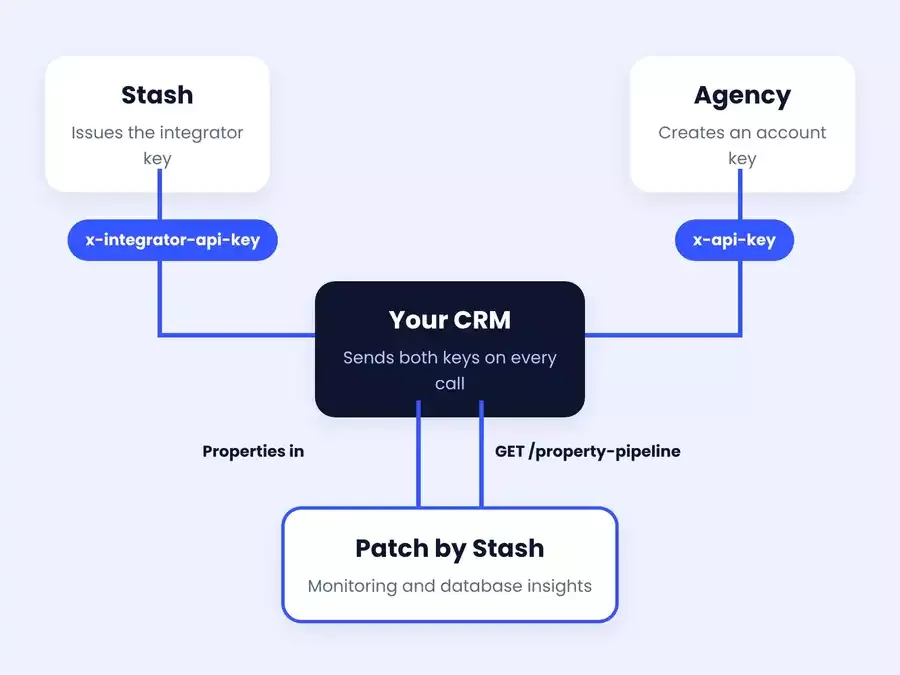
Talk to the Stash partnerships team. Once you’re set up, Stash issues your CRM an integrator API key. Your CRM sends it on every call in the x-integrator-api-key header. On its own it reads nothing: it identifies your CRM as an approved partner and only works alongside a client’s key.
Step 2: your mutual client connects
A client who uses both your CRM and Stash creates an API key in their Stash account and pastes it into your CRM. Your CRM sends it next to the integrator key, either as a Bearer token or in the x-api-key header.
Check the key before you sync anything. GET /account returns 200 when the account has an active Stash subscription or trial, 403 when it’s inactive and 401 when the key is wrong. Show the agent a clear “reconnect” or “activate Patch” message rather than failing silently. Team members inherit their team owner’s plan, and GET /account/team returns seats and members for an owner or admin key.
The client owns their key and can revoke it at any time, which stops your CRM’s access to their Stash account.
Tip: Patch only analyses the properties your CRM sends, so send only what the connecting agent or office is allowed to see under your CRM’s office data-sharing rules. If agents in an office keep separate databases, connect each agent’s own key and sync only their records. Where an office shares its database, put the key field where an office admin sets up integrations: calls on a shared office pipeline act on the team owner’s pipeline, so one key can cover the whole office.
Step 3: send the client’s properties to Patch
Match each address to a Stash property
Patch works with Stash property IDs. Match each address in your CRM with the geocode endpoints and store the Stash ID against your record, so you only match it once.
GET /properties/geocode?address=…returns the best match for one address.POST /properties/geocodetakes matching criteria in the request body. See the API docs for the format.
Post the properties to the pipeline
The Property Pipeline is the client’s database in Stash and the source for everything Patch does. Every call acts on the client’s pipeline (the team owner’s when the office shares one).
- One at a time:
POST /property-pipelineadds a property. Re-adding a removed property restores it. - In bulk:
POST /property-pipeline/batchtakes up to 500 properties per call in two lists:upsertadds, restores or updates, anddeleteremoves. Each item gets its own outcome (created, restored, updated, deleted, not found or error), so one bad record doesn’t stop the rest. Retry only the failures. - Changes:
PATCH /property-pipeline/{propertyId}updates one record, andDELETE /property-pipeline/{propertyId}removes it.
| Field | What it holds |
|---|---|
propertyId |
The Stash property ID from geocoding |
status |
Optional. A pipeline status title, such as Prospect. Defaults to the account’s default status. |
tags |
Optional. Tag titles. Unknown tags are created, and they replace the property’s existing tags. |
comments |
Optional. Free-text notes. |
crmReference |
Your CRM’s own ID for the record |
crmLastUpdated |
When your CRM last changed the record. Defaults to now on every write. |
POST /property-pipeline/batch
x-integrator-api-key: <your integrator key>
x-api-key: <client account key>

{
  "upsert": [
    { "propertyId": "<stash-property-id>", "status": "Prospect",
      "tags": ["Past vendor"], "crmReference": "CRM-10482" }
  ],
  "delete": ["<stash-property-id>"]
}
Statuses and tags are optional
If you want your CRM’s stages and labels to carry across, map them with the statuses endpoints (/property-pipeline/statuses: list, create, update, delete) and the tags endpoints (/property-pipeline/tags). Create them once when the client connects, then refer to them by title. If you skip this, properties land in the client’s default status. An unknown status returns a clear error that lists the statuses available.
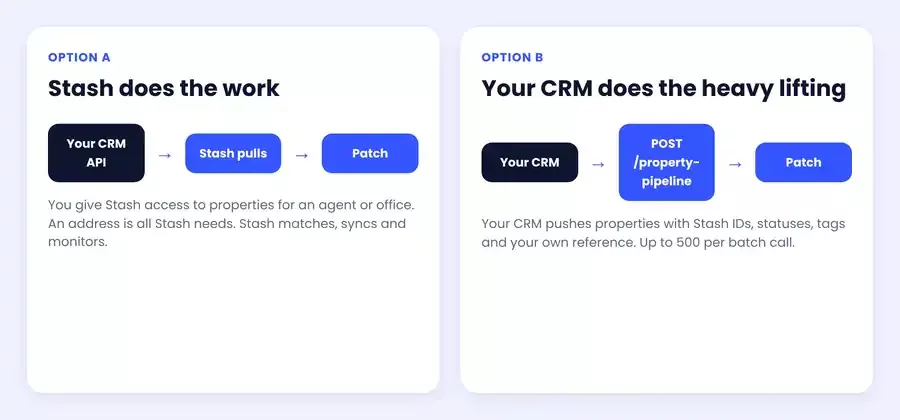
Prefer not to build the sync? Stash can do this step for you. Give Stash API access to the client’s properties for an agent or office and we’ll adapt to whatever API you already have. All we need is an address for each property: Stash does the matching and keeps the pipeline in sync.
Step 4: Patch analyses the database
Once properties land in the pipeline, Patch starts monitoring them straight away and runs its analysis in the background. Allow about an hour for a full database. The analysis enriches every property with Stash data and tags, so the client’s database can be segmented: owner-occupiers vs renters, how long owners have held, property features, and what has listed or sold.
Read the pipeline back, enriched
GET /property-pipeline lists the client’s pipeline in pages of 100, with a total count, and ?crmReference= returns the record for one of your IDs. Every record comes back with your own fields (status, tags, comments, crmReference, created and updated dates) plus a full Stash property record:
| Data | What you get |
|---|---|
| Clean address | Standardised street address, suburb, state and postcode, plus the Stash property ID, lot/plan and government ID |
| Attributes | Property type, bedrooms, bathrooms, car spaces, land area, building area, frontage, year built and the main photo |
| Planning | Zone, council area and lot count |
| Last sale | Date of the most recent sale |
| Stash AVM | Estimated value with a low–high range, confidence rating and date |
| Ownership | Owner-occupied or tenanted, and how many years the current owner has held |
| Market status | Whether the property is on the market for sale or for rent right now |
| Location flags | Location flags and whether neighbours are for sale |
That’s enough to segment the database straight away: owner-occupiers who have held for 10+ years, homes on big blocks, properties now for sale or for rent, or the top value bracket by AVM. Because your own ID comes back on every record, you can match results to your data without another lookup. The client’s own home and investment properties in Stash aren’t included.
Search the client’s database in plain English
Agents ask questions in their own words: “owner-occupied houses with a pool”, “renovators held more than 20 years”. Two calls turn that into a search across the client’s CRM properties:
POST /properties/generate-search-requesttakes the plain-English query and returns a curated search request, converting the words into Stash filters and property tags.POST /properties/searchruns that request, limited to the client’s own pipeline, and returns matching properties with a match score.POST /propertiesthen returns full detail for any single property.
That gives your CRM a natural-language search over its own data, without building a tagging engine.
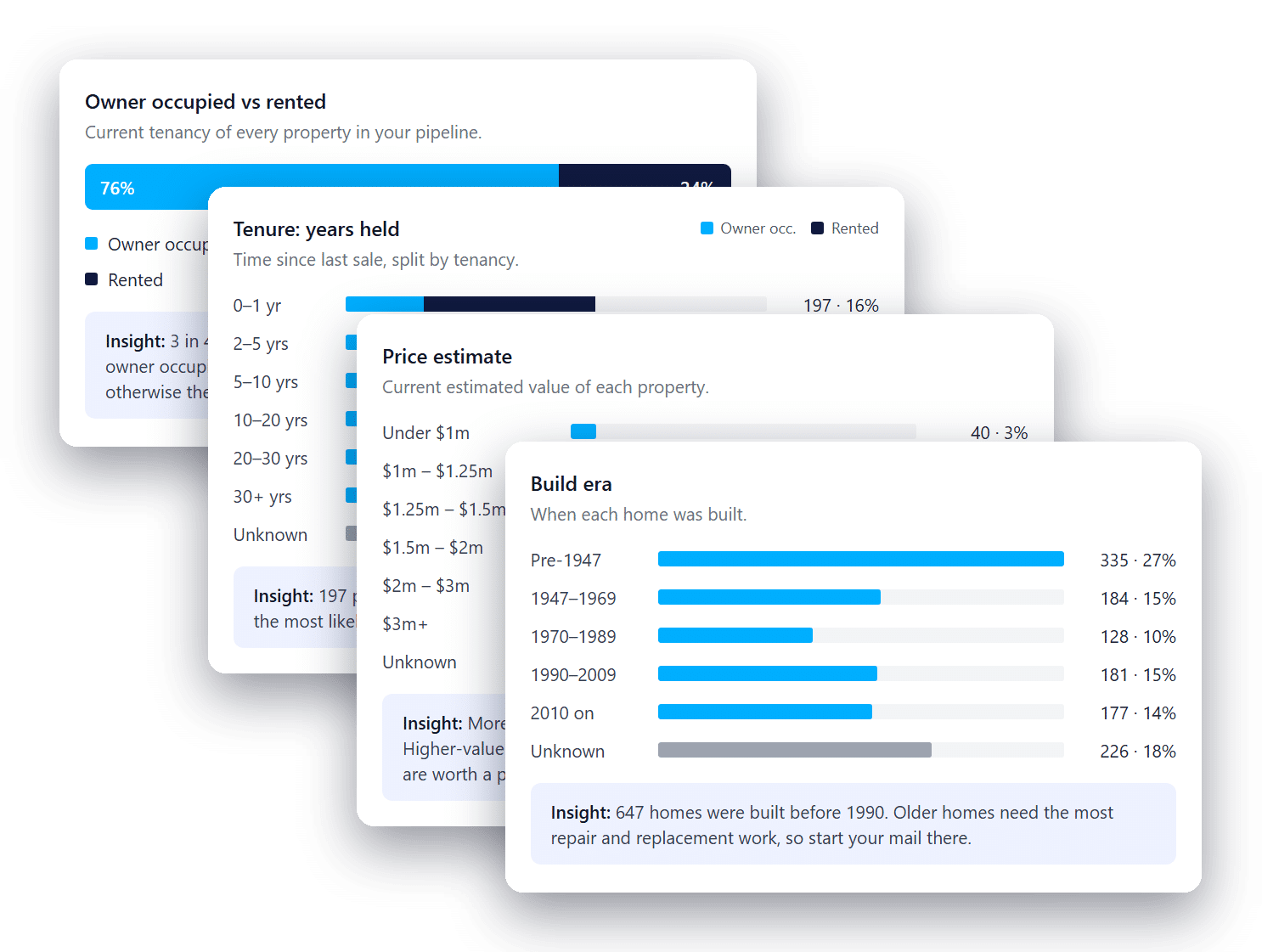
Analyse your CRM with live property data to create segments, in Stash or inside your own CRM.
Coming next: a summary insights endpoint, so your CRM can show database stats such as occupancy and years-held bands without counting records itself. Until then, segment with the pipeline and search endpoints.
Targeted outreach to your CRM cohorts
Once the database is segmented, your clients can build cohorts from it: owner-occupiers who have held for 10+ years, past vendors with a pool, every property tagged with a pipeline status. Then they can reach each cohort with the marketing tools already in your CRM, new tools you build on Stash data, or the Stash tools below, all through the same API.
Live reports: create a shareable live property or suburb report link to drop into your CRM’s emails. The agent gets an alert whenever a recipient clicks through to the property, so they know who to call.
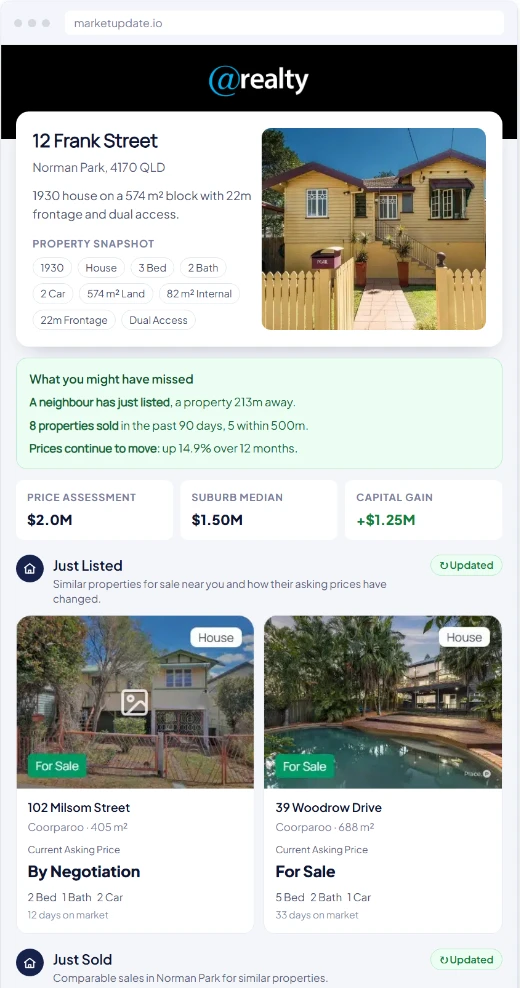
Property market update
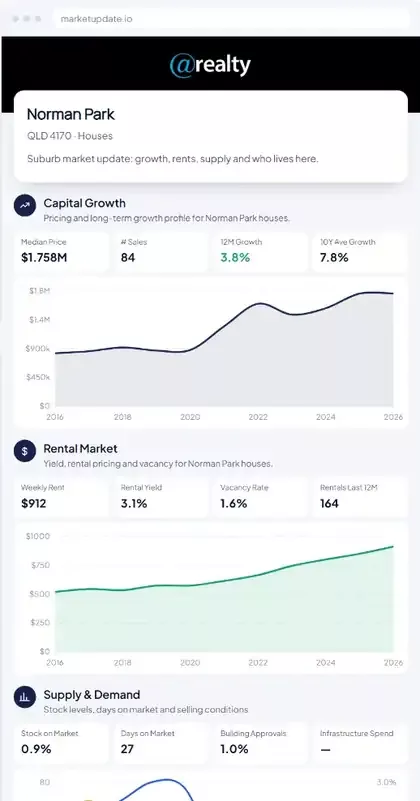
Suburb market update
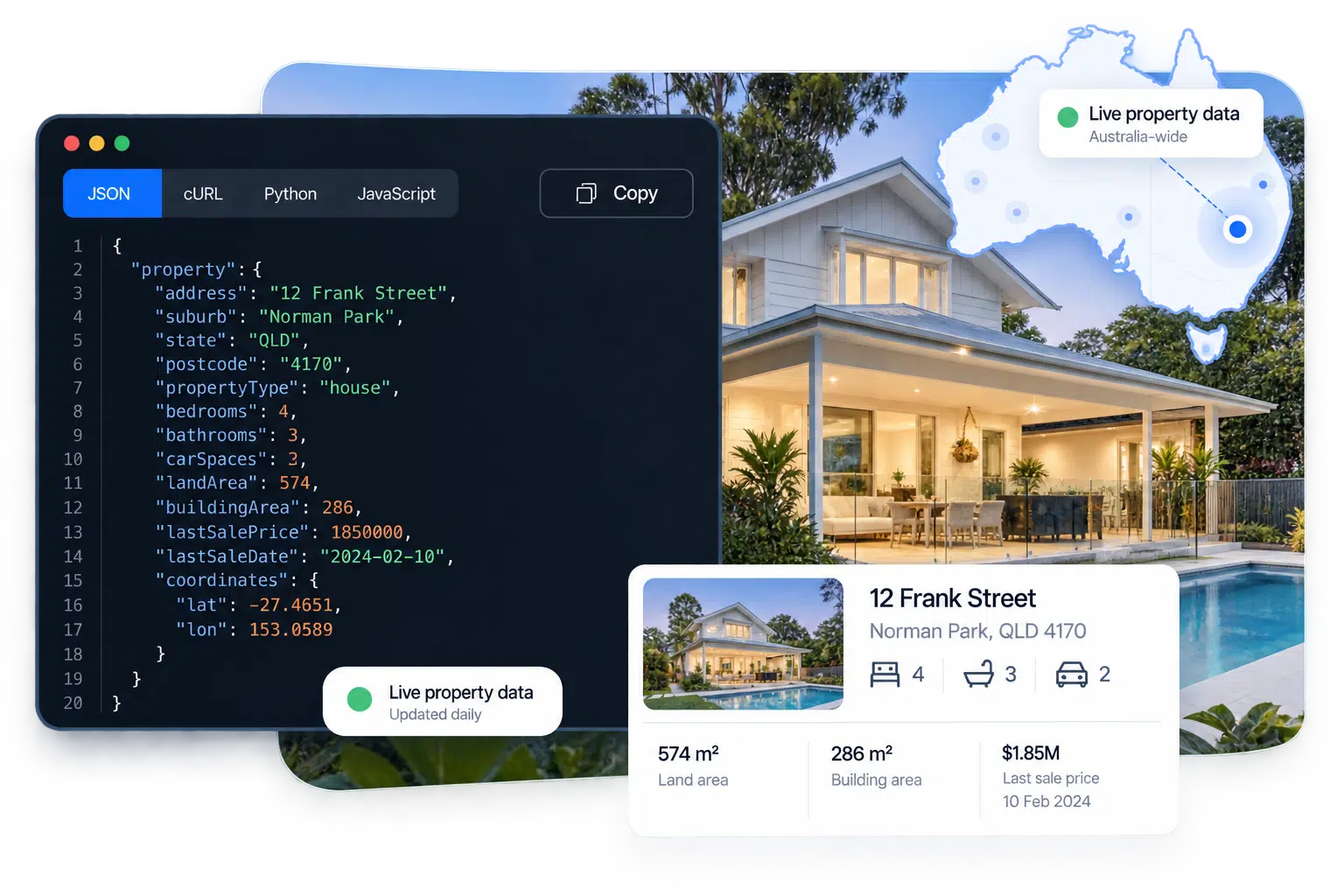
Build your own digital experience: attributes, sales history, planning, hazards, market activity and the Stash automated valuation (AVM), ready to power your own property pages, reports and client portals inside your CRM.
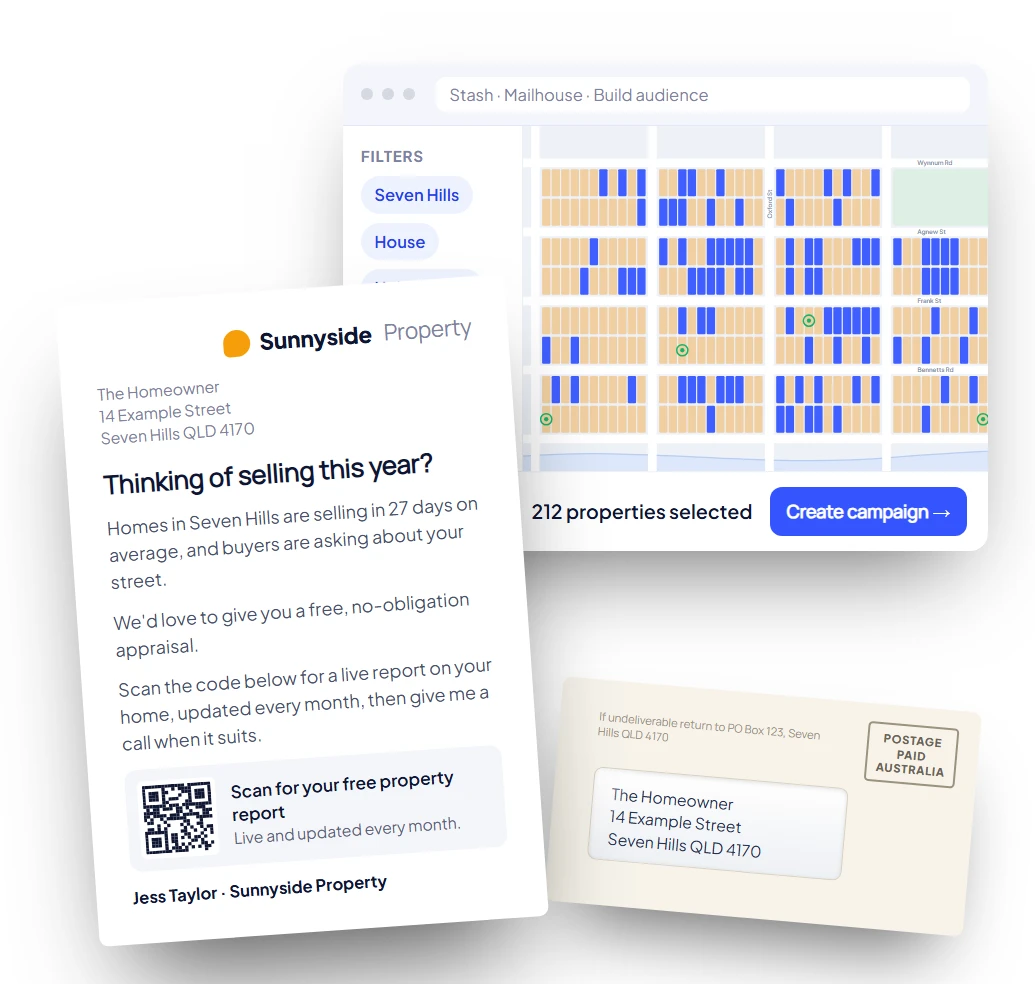
Stash Mail: send a cohort to a letters cart through the API and create a one-time Print & Send link. Agents open the link, choose or design a letter, check the print and postage quote, then pay and send, all without leaving your CRM. Our integrated mailhouse prints, packs and posts every letter.
Prospect beyond the database COMING SOON
Patch also shows agents what their CRM doesn’t hold. Mapping the database against every property in their suburbs gives a property-level view of market share: which homes they have a relationship with, which they don’t, and where the long-held owners they’ve never contacted are.
From there, agents can prospect for properties they don’t have and, with your CRM’s permission, sync the new records back into your CRM, so prospecting and follow-up stay in one system. It isn’t always the right move (adding thousands of cold records can clutter a database), so it works best as a deliberate choice: a target street, a building era, or long-held owners in a farm area.
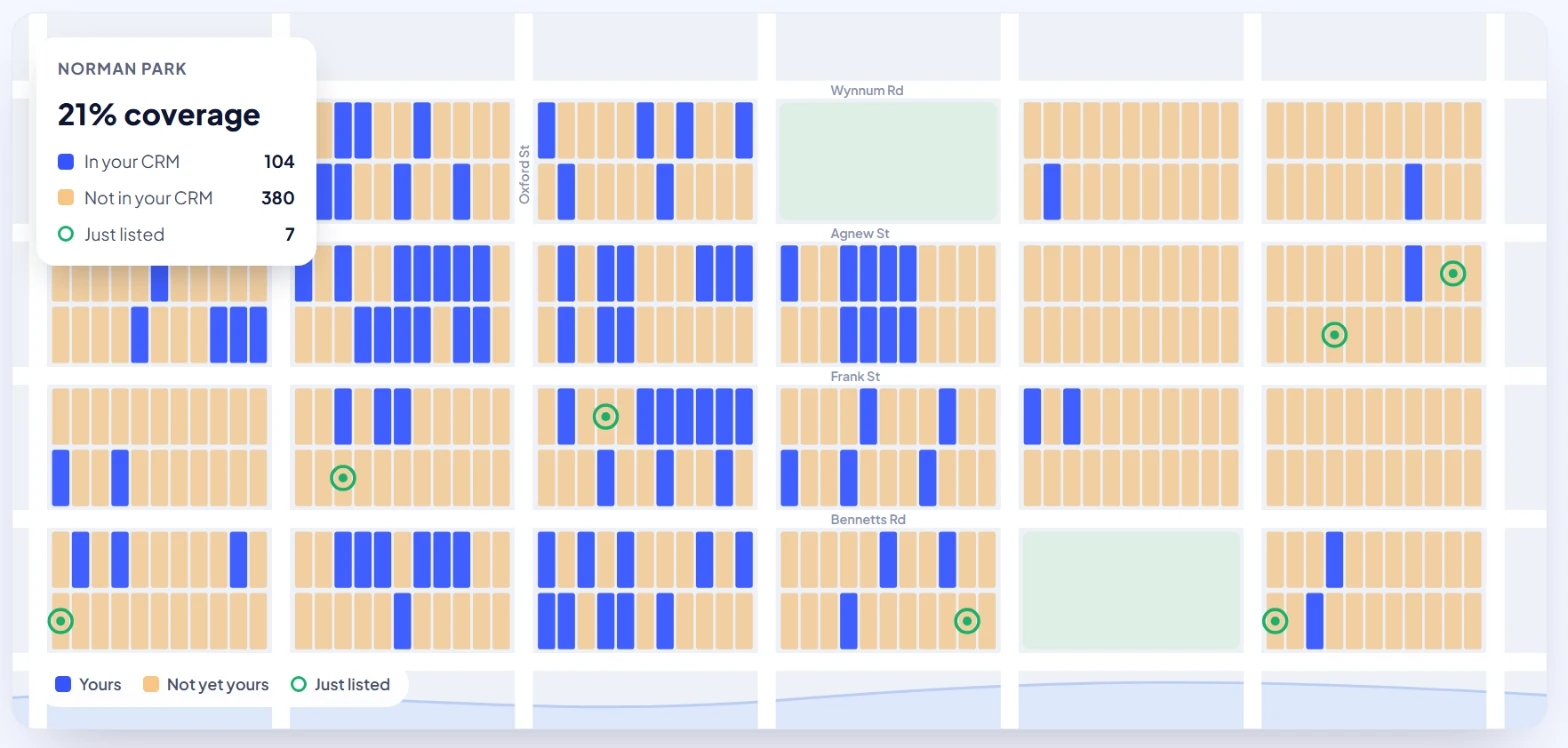
Illustrative display only. Agents can view the properties not in their CRM on Stash, or through your CRM’s own mapping tools.
Pricing and billing
Patch is priced per record: ~5c per property per month in a client’s connected database. A typical agent database of 3,000 properties costs $150 + GST per month, with volume discounts for larger databases.
Billing works either way round:
- Stash bills the client: the agency pays Stash directly and your CRM simply connects.
- Wholesale through your CRM: we’re considering wholesale options for CRMs that want to bundle Patch into their own plans. Talk to our partnerships team if that suits you.
Clients also need an active Stash account for their key to work, which GET /account confirms.
Key takeaway
A Patch CRM integration gives your agents monitoring and database insights on the properties they already hold in your CRM. Stash issues you one integrator key and each client brings their own account key. Match addresses to Stash IDs, post them to the Property Pipeline, and Patch monitors and analyses the database within about an hour. Read it back, or search it in plain English. If you’d rather not build the sync, Stash can pull from your API instead. Billing can run through Stash or wholesale through you.
Frequently asked questions
Do our clients need a Stash subscription?
Yes. Each client needs an active Stash account or trial. GET /account returns 200 for an active account and 403 for an inactive one.
Do we have to post statuses and tags?
No. They’re optional. Without them, properties land in the client’s default pipeline status.
How long until Patch insights are ready?
Monitoring starts as soon as a property lands. Allow about an hour for Patch to analyse a full database.
Can Stash run the sync instead?
Yes. Give Stash API access to the properties for an agent or office, with an address for each, and we’ll adapt to the API you already have.
Is there an insights API?
A summary insights endpoint is coming. Today you can segment the database with GET /property-pipeline and the plain-English search.
Can our CRM read Patch data back?
Yes. GET /property-pipeline returns the client’s pipeline, including your crmReference on every record.
Who can see the data?
Only the client whose key is used. Your integrator key doesn’t work without a client key, and the client can revoke theirs at any time.
How is Patch billed?
Per record. Stash can bill the client directly, or you can buy wholesale and include Patch in your own plans.
Is Patch a valuation or a CRM?
Neither. Patch doesn’t replace your CRM, and its estimates aren’t formal valuations. It adds property monitoring and database insights alongside the CRM your clients already use.
Where are the API docs?
The Stash V2 Data API documentation is at stashproperty.com.au/app/api/v2/data/docs.
Bring Patch to your CRM
Talk to Lee Russell, Head of Partnerships, and the Stash team about an integrator key and the right connection for your CRM.