

Stash MCP is free for existing subscribers. Limitations may apply
Stash MCP
Connect AI to live Australian property intelligence
Use Stash MCP to connect Claude and compatible AI tools to live property, suburb, sales, planning, market and risk data. Research properties, create CMAs, assess opportunities, run due diligence and answer complex property questions with real Stash data.
Get Started. Try it free todayExisting membersWhat used to take hours, takes minutes
Stash is designed to plug directly into AI workflows and agent-based systems. Use structured property and suburb data as context inside LLMs, copilots and automation tools.
✓ Which suburbs to buy?
Create your own suburb hotspot list using your own buying strategy
✓ CMA & Property appraisal
Take an in depth look at property appraisal for purchasing & selling
✓ Automated due diligence
Run instant checks across planning, risks, sales and suburb trends
✓ Development Feasibility
What’s the best type of development for this property to maximise returns?
✓ Connected to your AI ecosystem
Trigger actions based on property events, suburb signals or new listings
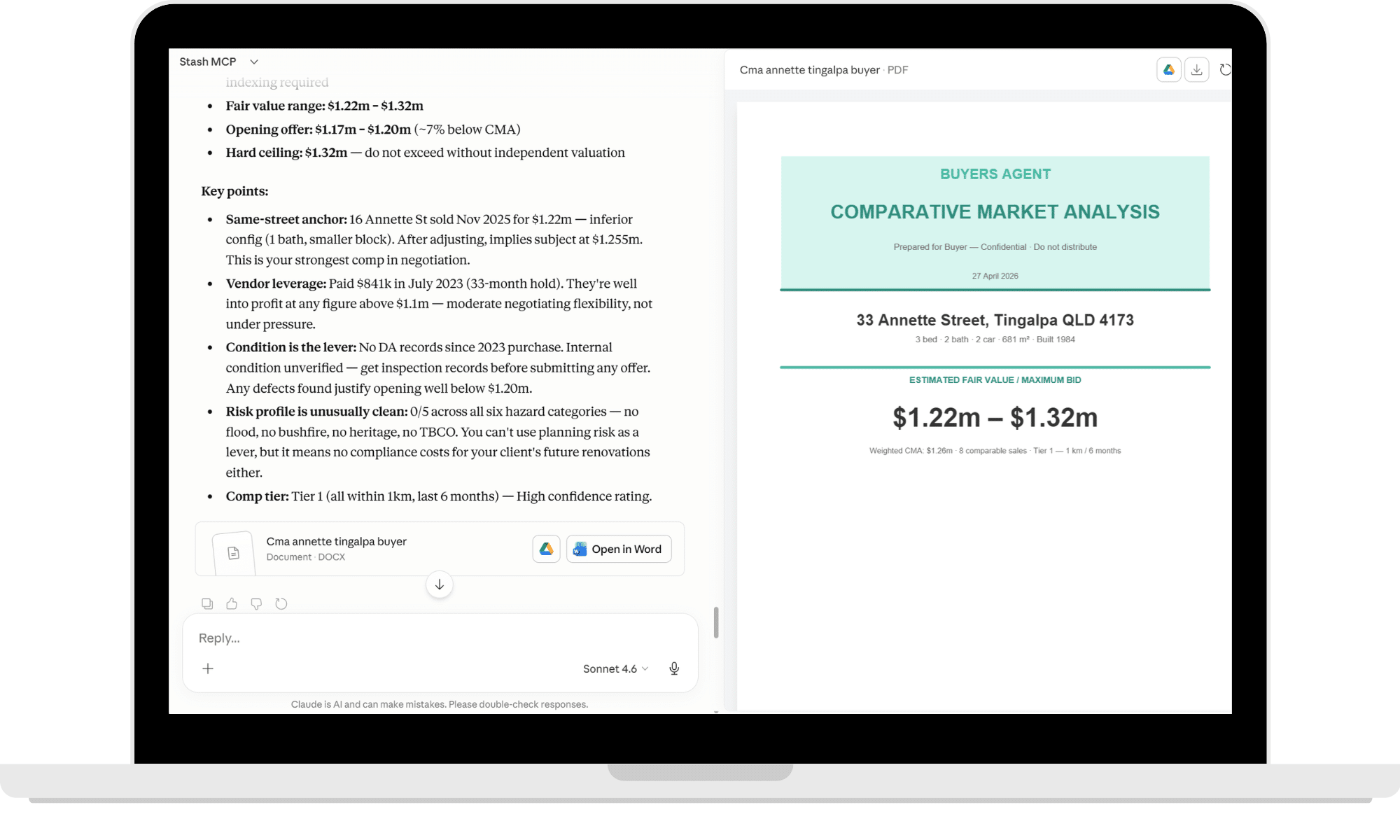
The faster you rule out bad deals, the faster you find good ones.
The best developers will use AI to move faster. The worst developers will use it to skip due diligence.
Find the 1 out of 15,000 suburbs
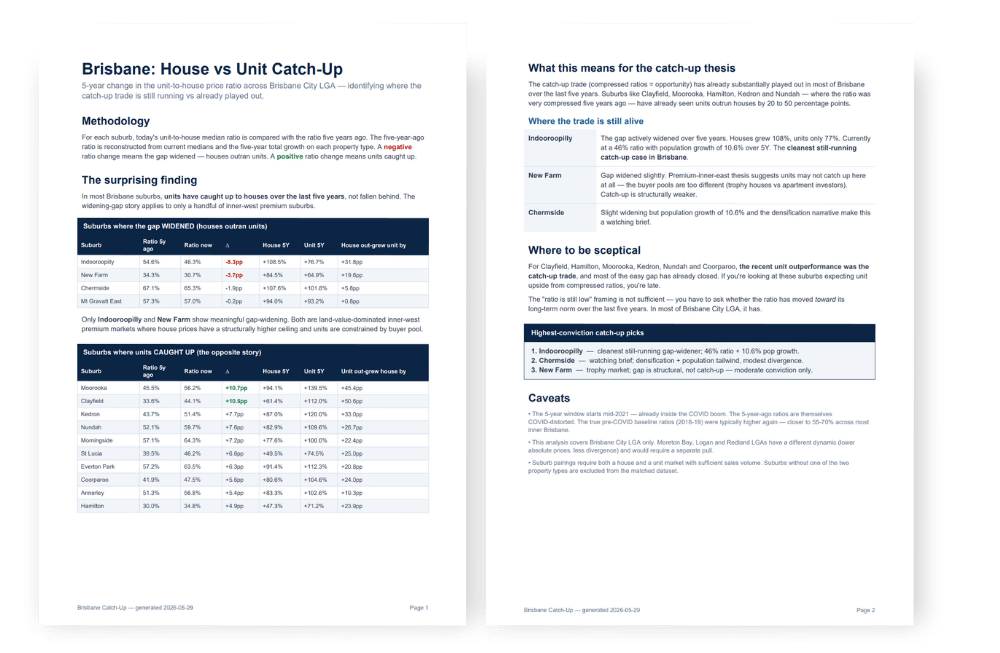
Want to buy property but not sure where to start? Start by analysing every suburb in Australia.
Find the suburbs with the strongest growth, highest rental yields, best schools, largest populations, strongest owner-occupier demand, or the biggest renovation opportunities.
Looking for something more specific? Identify suburbs where units may still be undervalued relative to houses, uncover emerging growth corridors, or compare thousands of markets side by side.
The possibilities are endless. The challenge isn’t finding data anymore — it’s knowing what questions to ask.
Never trust AVMs. Until now.
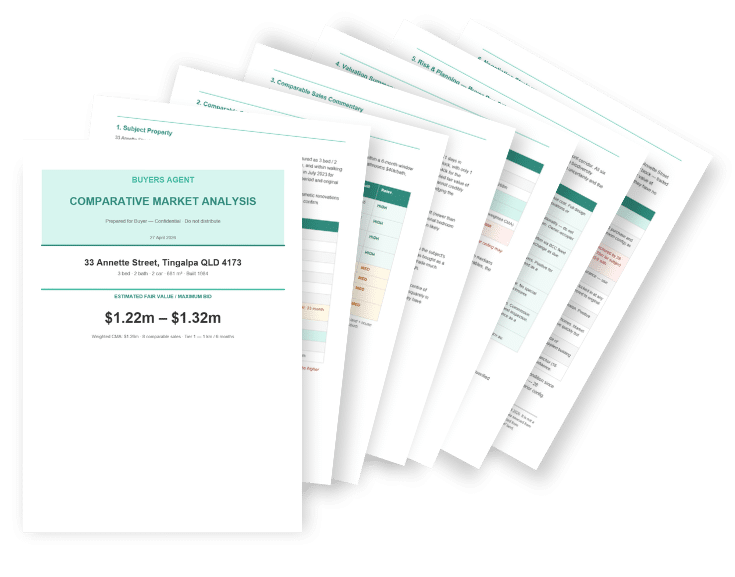
For years AVMs have been built on limited datasets, generic assumptions and median-based models that miss what actually matters: condition, zoning, overlays, site usability, planning upside and real comparable context.
Stash MCP changes what’s possible. You can now combine Stash + datasets from the web + your expertise.
Bad developers will use this to skip DD
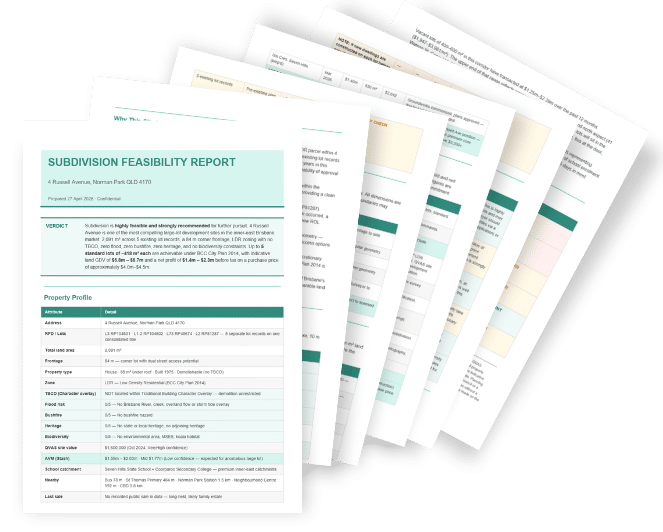
The best developers will use this to move faster. A real development feasibility can’t be fully automated because the hardest parts are the judgement calls: planning interpretation, construction assumptions, civil constraints, market timing, resale positioning and risk tolerance.
Rule out properties quicker
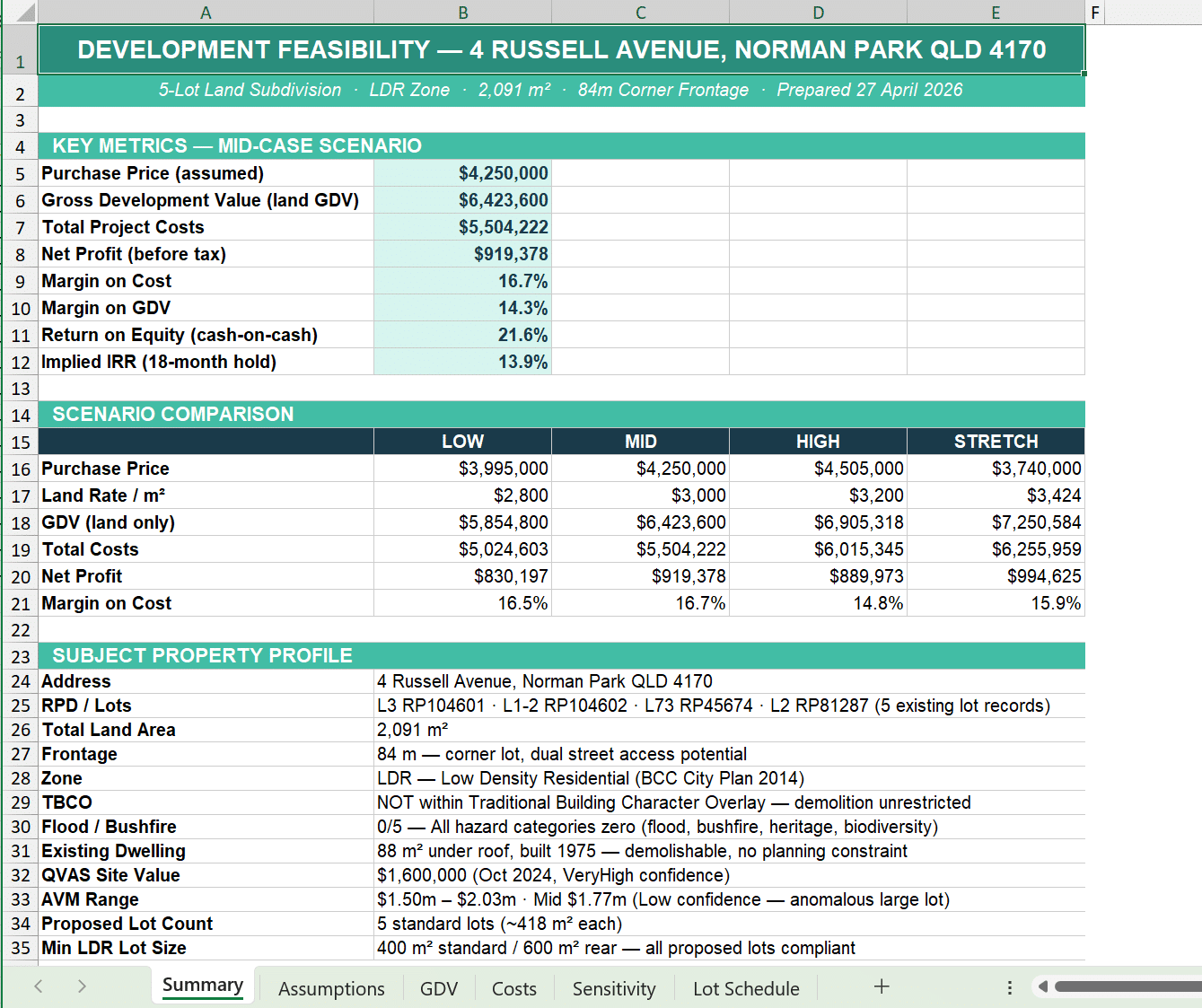
Most Buyers Agents already have their own feasibility process. The problem is it still takes too long. Jumping between spreadsheets, council websites, zoning maps and property data slows decisions down and creates gaps in due diligence. The faster you can rule out bad properties, the faster you can focus on the ones actually worth pursuing.
AI Agents for Agents

This is where property research is heading. Instead of manually searching through platforms, spreadsheets and council websites, the right information will come to you automatically.
But automation is only as good as the data behind it. Buyers Agents will still need accurate, trusted property intelligence to make confident decisions across appraisals, due diligence and feasibility. That’s where Stash MCP comes in.
We’re building the infrastructure that supports the next evolution of property research — connected data, automated workflows and intelligence delivered where agents actually work.
Supported AI providers
Stash is not just property data. It’s a structured decision layer for property workflows.
Claude
Recommended for full MCP workflow support and structured multi-step reasoning.
ChatGPT
Coming Soon
Cursor
Coming Soon
How it works
From user input to structured property insights — powered by Stash.

Why Stash MCP?
Most AI tools generate generic outputs.
Your are minutes away from being connected
In just minutes, you will be producing appraisals & feasibilities like never before.
