
Stop clicking. Start executing.
Most Buyers Agents don’t have a data problem. They have a workflow problem. Too many tabs, too much copying, too much time turning data into something usable.
Stash MCP fixes that.
It connects your Stash data directly into Claude so instead of pulling data together manually, you just ask and get a structured output.
With Stash MCP, you can generate CMA’s, feasibility reports and due diligence reports in seconds. Not rough drafts. Outputs you can actually use. Comps, risks, constraints, context — already pulled together.
Instead of search → export → format → write, you go straight to output. One prompt and you’re there.
To use it, you need a Stash membership and access to Claude, ideally Pro or Teams, with MCP enabled. From there, you connect and start generating immediately.
This is the shift. Property tools used to give you access. Now they give you execution.
That’s what Stash MCP is built for.

Most Buyers Agents are still piecing this together. The best run a system.
That’s what Stash gives you.
Become a member to take your buying business to the next level. Try it free for 14 days.
What is MCP?
It stands for Model Context Protocol. It allows Claude to access your real Stash data securely, so you’re not working with generic AI responses. You’re working with your actual property data, already structured and ready to use.
Stash MCP + Claude
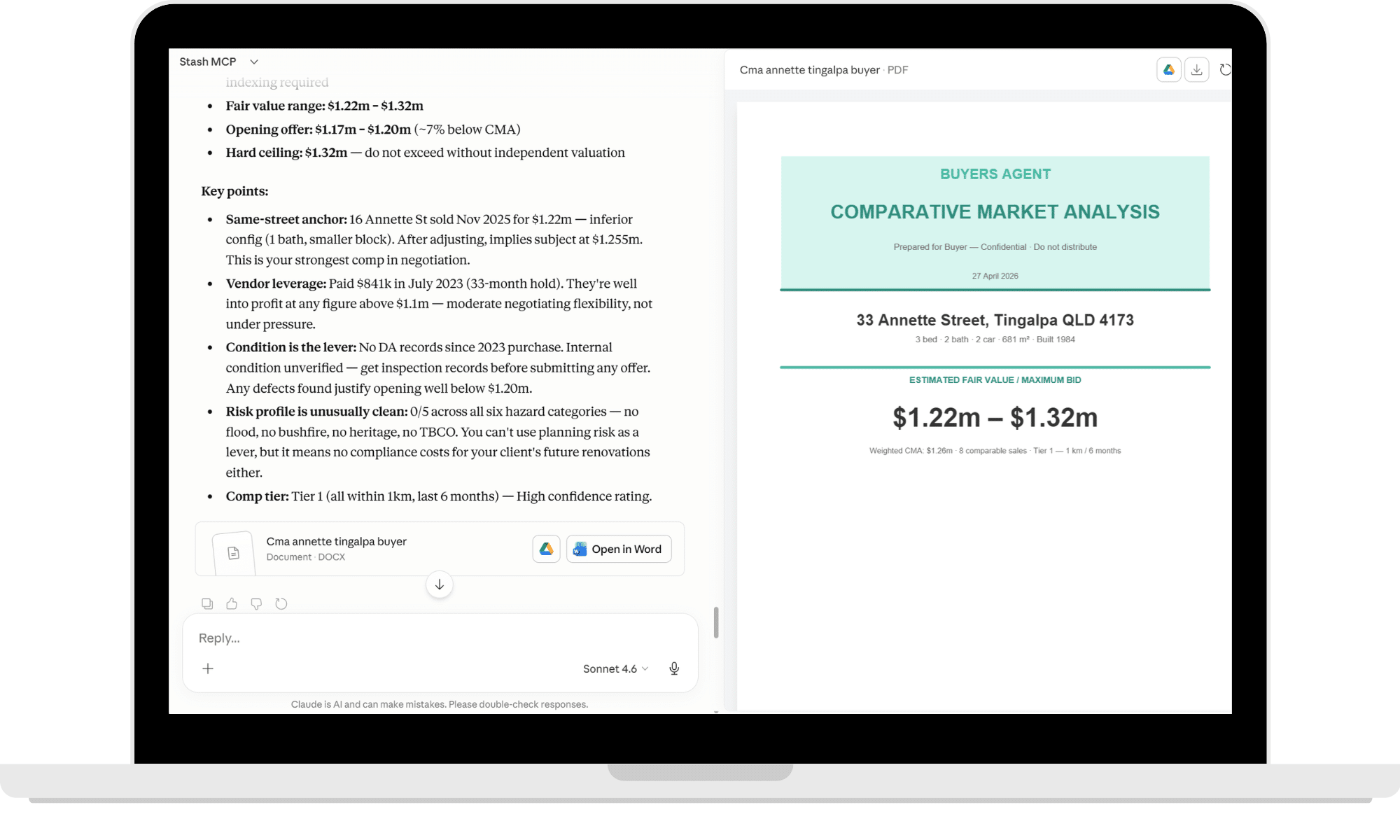
What used to take hours is taking minutes.
Installation Instructions – Coming Soon
- Get a Stash membership
Make sure your account has MCP access enabled (included for existing foundation members). - Open Claude
Use Claude Pro or Teams for best performance. - Connect Stash MCP inside Claude
Go to Customize → Connectors → Browse Connectors (Click on the +). - Connect Stash to Claude
Click on Add Custom Connector & paste your Stash MCP server URL (from Stash AI Access) into Claude.
- Load Stash MCP skills
Click on Skills → Create Skill → Upload a Skill. Download the pre-built skills for CMA’s, feasibility and planning etc (from Stash AI Access) and upload to Claude - Test with a simple prompt
Example: “Create a CMA for [property]” or “Run a feasibility on this site”. - Review and refine
Adjust your prompt, regenerate, and use the output directly. - Start using it in your workflow
Generate → review → send. No exporting. No formatting.
What is a Skill?
Think of each skill as a focused service — a specific thing we do really well. Whether you need a property valued, a development checked for feasibility, or planning rules untangled, each skill is built to give you a clear, useful answer without the runaround.
Property Appraisal/CMA
A grounded appraisal that goes beyond the online estimate. We look at what’s actually sold nearby, what’s on the market right now, and what makes your place different — so you can price, offer, or plan with confidence.
Feasibility
A proper feasibility check covers the lot, the rules, the build costs, and the likely sale price — then tells you what’s actually left at the end. The kind of analysis that saves you from expensive mistakes.
Planning
Council documents are dense, dry, and easy to misread. We pull out what actually matters for your property — what you can build, what you can subdivide, and what’s going to need a closer look.
What can you create?
Buyer CMA
Know exactly where to play — and where to walk.
Stash MCP generates buyer-side CMA’s built for negotiation, not presentation. Real comps, adjusted properly, with a clear fair value range and a hard ceiling so you don’t overpay. You’re not guessing. You’re walking in with evidence.
Anchor the conversation with same-street comps, quantify the upside and downside, and frame your offer with confidence. When the data shows a ceiling, you stick to it.
No fluff. Just facts before purchase.
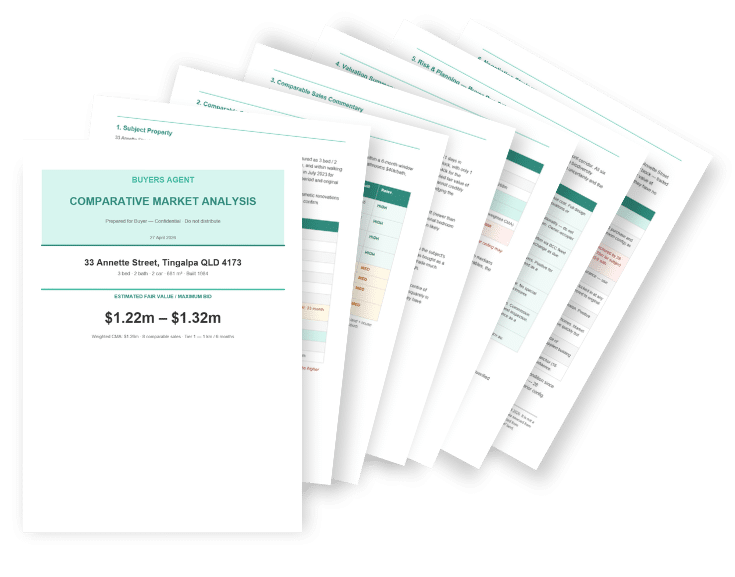
No fluff. Just facts before purchase
Seller CMA
Price it right. Win the listing. Control the outcome.
Stash MCP builds seller-ready CMA’s with clear positioning, comparable sales and a defined listing strategy. Not just a price range — a recommendation on how to take it to market.
Show vendors exactly where their property sits, what drives value, and how to create competition. From pricing to reserve to campaign strategy, it’s all structured and ready to present.
Know everything before the listing.
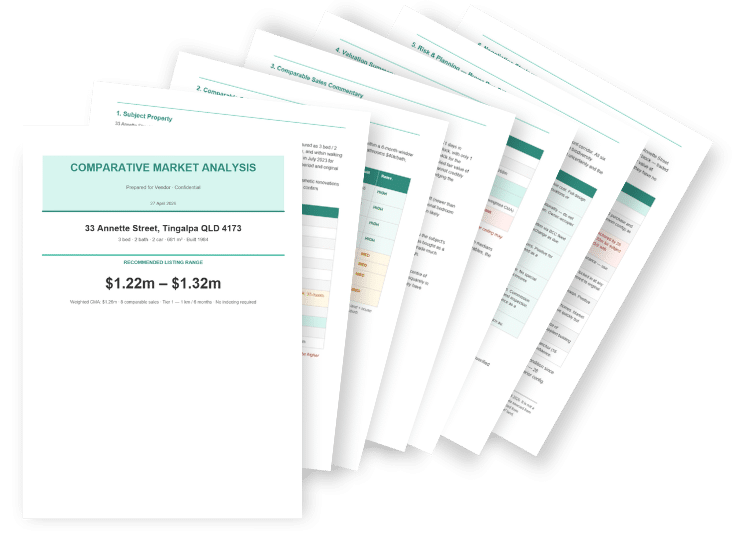
Know everything before the listing
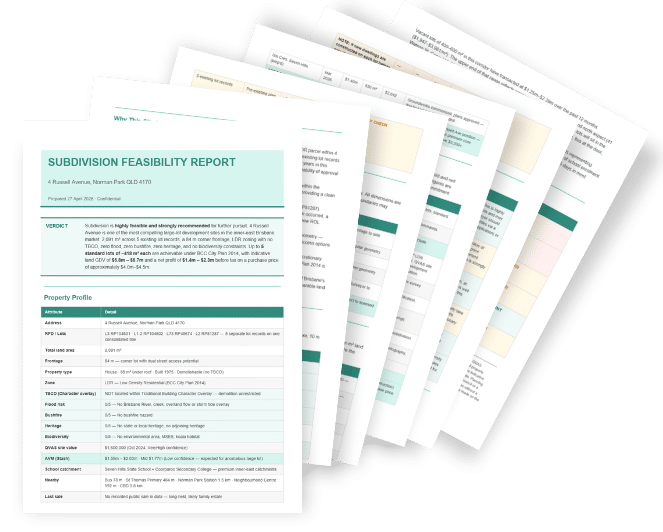
Feasibility Report
See the deal before you commit.
Stash MCP pulls together planning, constraints, site potential and financials into one clear feasibility view. Zoning, overlays, lot yield, GDV and costs — all mapped out instantly.
You can quickly see if a site stacks up, where the risk sits and what the upside looks like. No more piecing together council data, spreadsheets and assumptions.
Never miss a deal again.
Never miss a deal again
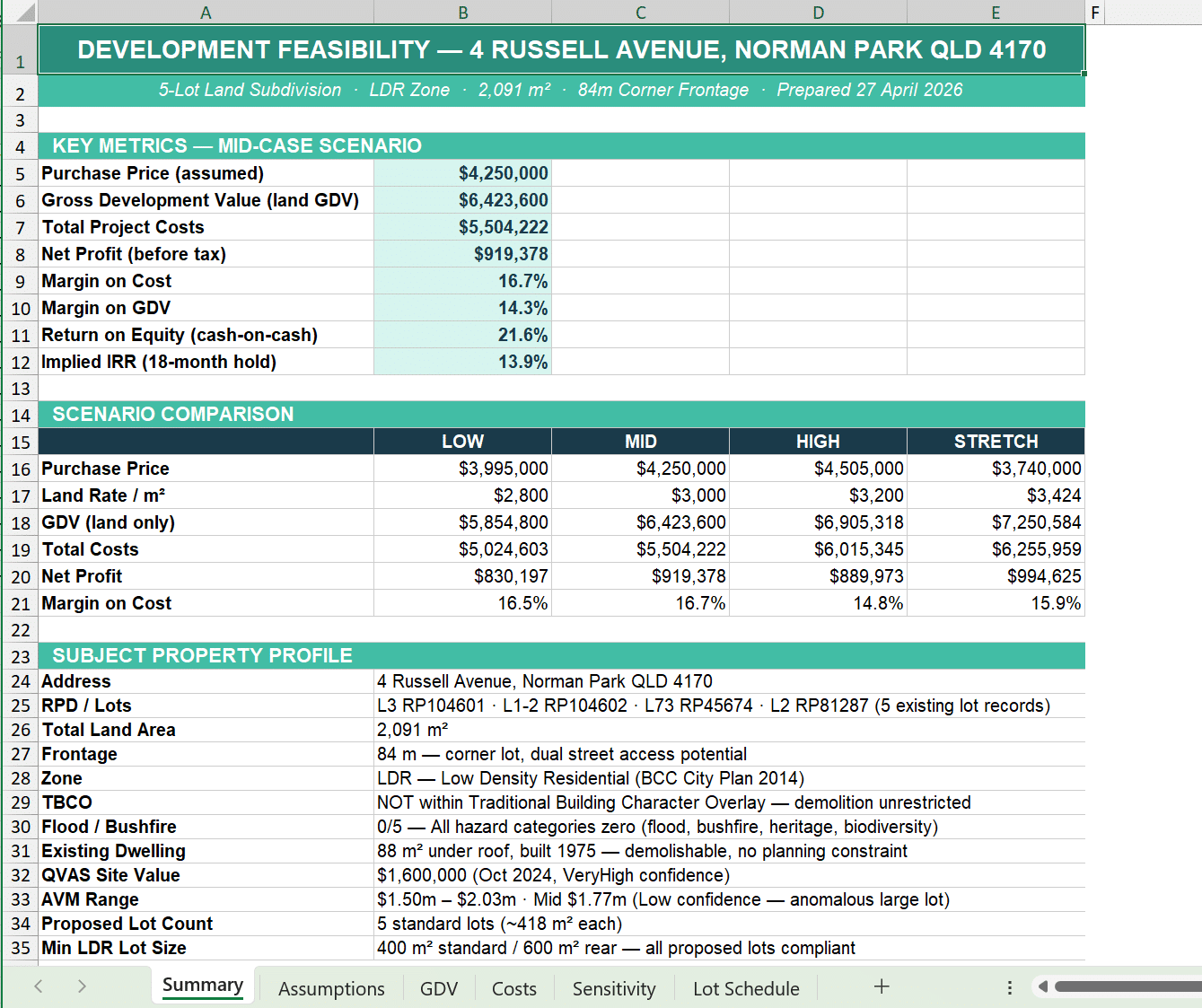
Feasibility Analysis
Go deeper when it matters.
When a site looks good, Stash MCP lets you break it down further. Refine assumptions, test scenarios and adjust inputs to match your strategy.
Lot configurations, pricing ranges, cost variations and margin sensitivity — all structured so you can make a call quickly. Whether you’re subdividing, holding or building, you can model it properly.
Customised to suit your specific requirements.
Customised to suit your specific requirements
