

Before you plan a subdivision or development, you need to know the zone, the smallest lot council allows, and how high you can build. Stash pulls these together for each property, with links to the sources.
Before you start
Planning details need an active Stash subscription or free trial. See plans.
See planning controls on the property page
- Open the property. Search for the address, or click the property on the map.
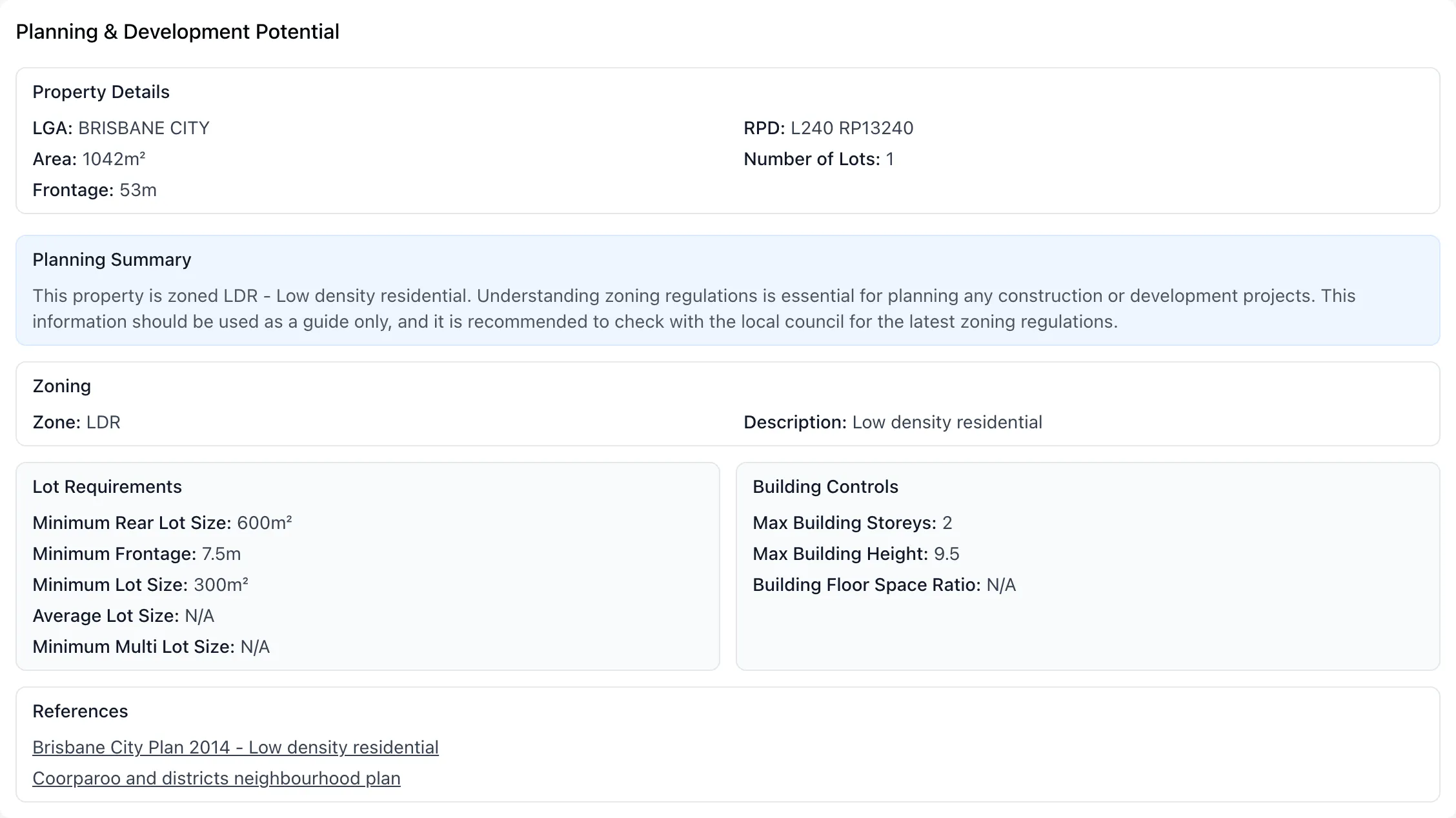
- Open the Planning Insights tab. Find the Planning & Development Potential card.
- Read the sections. The card shows:
- Property Details: LGA, RPD, Area, Number of Lots and Frontage.
- Planning Summary and Zoning: the Zone and its Description.
- Lot Requirements: Minimum Lot Size, Minimum Frontage, Minimum Rear Lot Size, Average Lot Size and Minimum Multi Lot Size, plus any notes from the planning scheme.
- Building Controls: Max Building Storeys, Max Building Height and Building Floor Space Ratio.
- References: links to the planning scheme or source the figures came from.
If a property is in more than one zone, each zone is listed separately as Zone 1, Zone 2 and so on.
Open the full Planning Info page
- Go to the Property Details tab. Find the Property Description card.
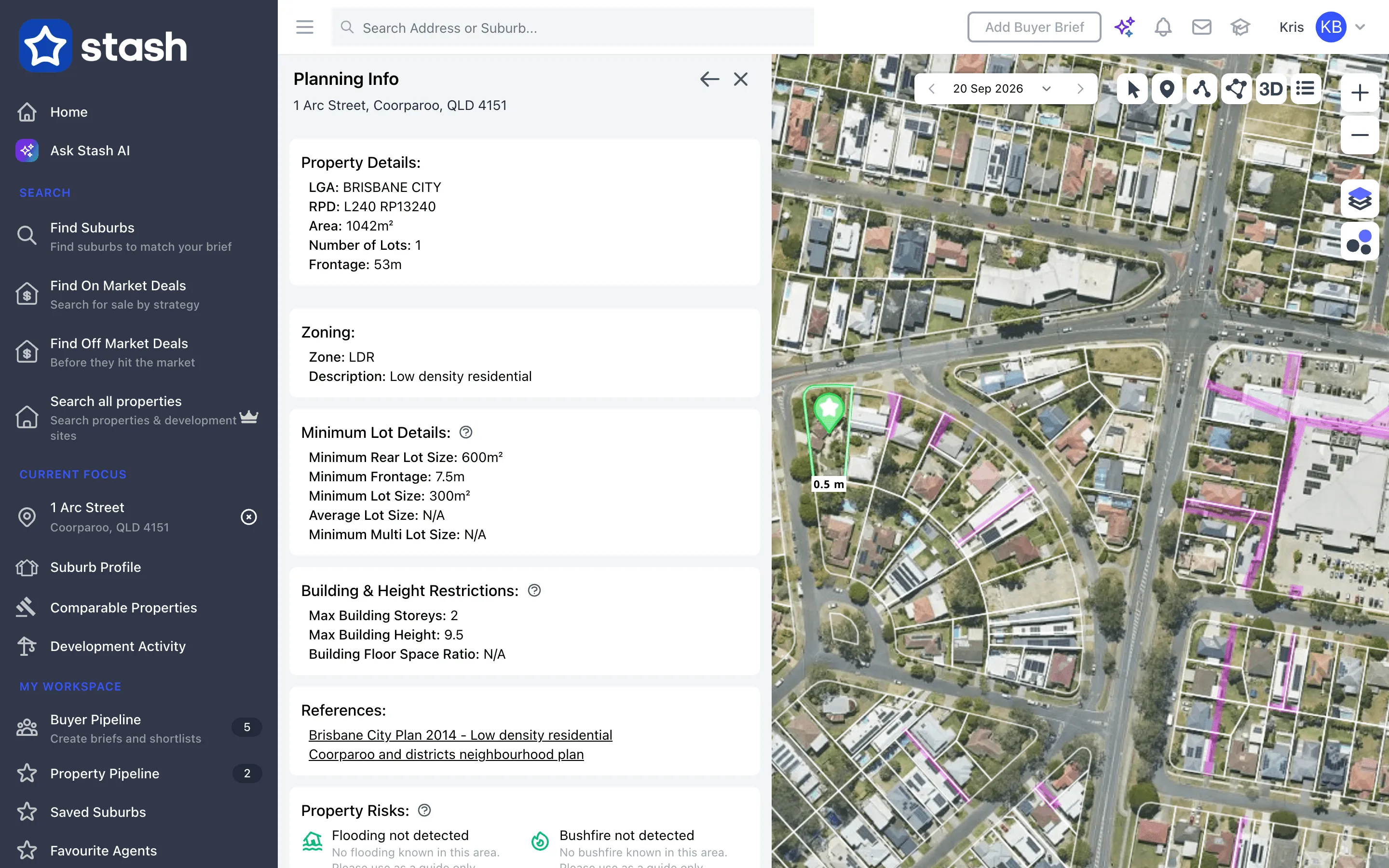
- Click VIEW PLANNING INFO. The Planning Info page opens with Zoning, Minimum Lot Details, Building & Height Restrictions, References and Property Risks (flooding, bushfire, heritage and biodiversity), plus Disclaimers.
Reading the figures
- Minimum Lot Size is the smallest lot area allowed when subdividing, in m².
- Minimum Frontage is the minimum width each new lot needs facing the street, in metres. Compare it with the property’s Frontage. See Check street frontage.
- N/A means the figure isn’t in the planning data for that zone. It doesn’t mean there’s no rule.
The lot size and controls depend on the zone and the council, so they vary from property to property.
Planning controls in Stash are a guide only. Schemes change, and other overlays or site conditions can override the base rules. Before you buy, subdivide or advise a client, check the council’s planning scheme and speak to a town planner or licensed surveyor.
Common questions
Why are some fields N/A?
Not every council publishes every control in a form Stash can collect. Use the References links to check the scheme directly.
Can I search for properties above a minimum lot size?
Yes. Use the AREA (m²) and Property Zoning filters in Search all properties. See Find off-market properties.