

A property’s history tells you what it last sold for, how long it took to sell and whether it’s been rented out. In Stash, the full history is on the property’s Property Timeline tab.
View the history
- Open the property. Search for the address, click it on the map, or open it from your pipeline.
- Click the Property Timeline tab. It’s next to Property Details at the top of the property page.
- Read the timeline. Events are listed newest first, each with its date.
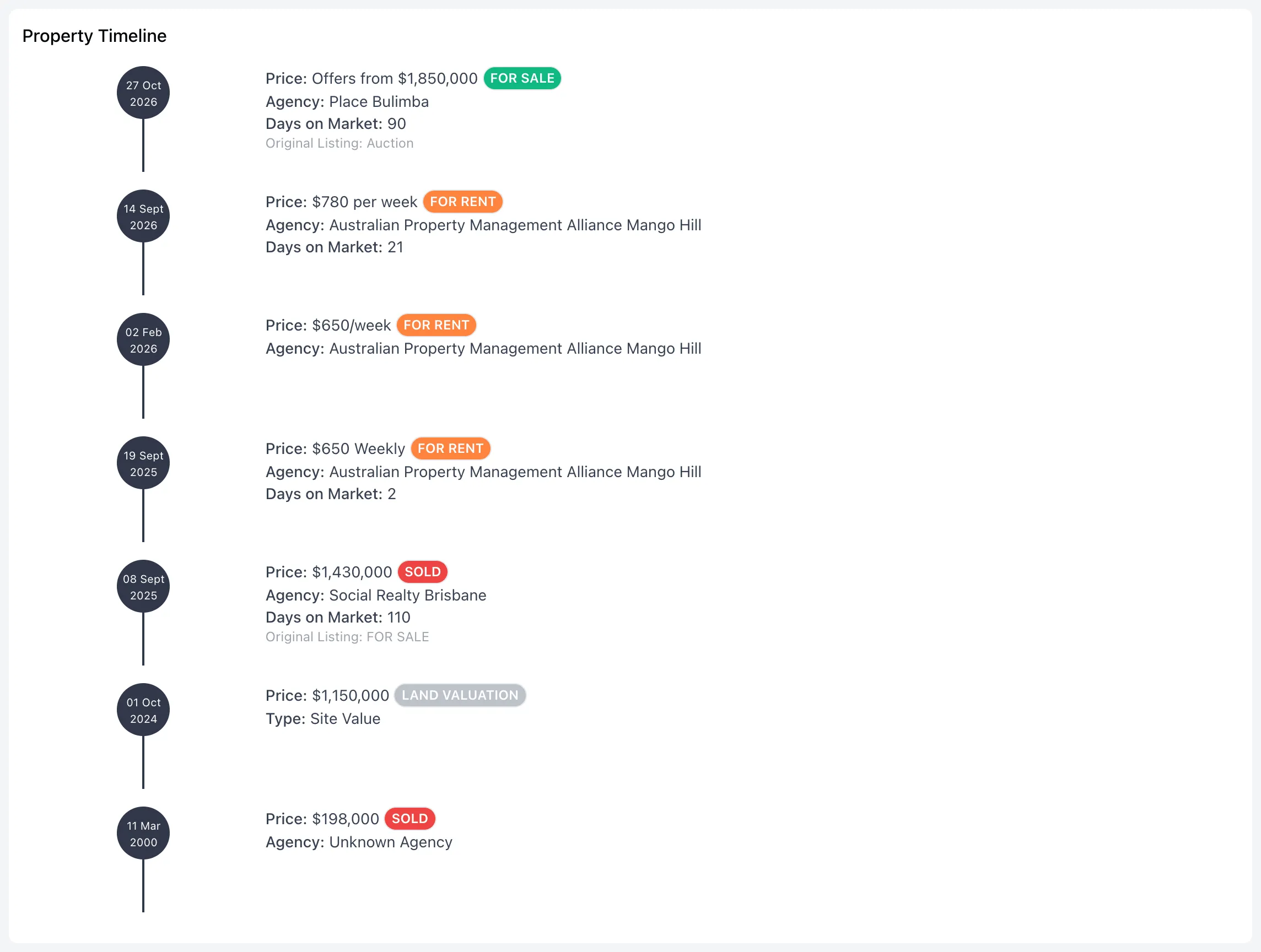
What each entry shows
Each entry has a coloured label:
- SOLD: a recorded sale.
- FOR SALE: a sale listing.
- FOR RENT: a rental listing or a recorded rental.
- WITHDRAWN: a sale listing that was taken off the market.
- OFF MARKET: an off-market or pre-market listing.
- LAND VALUATION: a land valuation.
For each one you’ll see the Price, the Agency (or the valuation Type), and Days on Market where it’s known. If the price changed during the campaign, you’ll also see the Original Listing price.
The Price Estimate card at the top of the property page also shows the last sale, when an estimate is available.
Compare with nearby sales
The timeline covers one property. To see what similar properties nearby sold for, use Comparable Properties. See Advanced comparable sales search.
Common questions
Why is a recent sale missing?
Sales can take a few weeks to settle and be reported. They appear in Stash once they’re reported. See Where Stash sources its data.
Why does a sale show no price?
Some sales and listings are recorded without a price. These show a dash instead.
It says there is no timeline for this property
Stash hasn’t received any sales, listings, rentals or valuations for that property yet.