

You can export the properties in your pipeline to a CSV file that opens in Excel, Google Sheets or your CRM. It’s a quick way to share a shortlist, back up your notes or work on your list outside Stash.
Export your pipeline
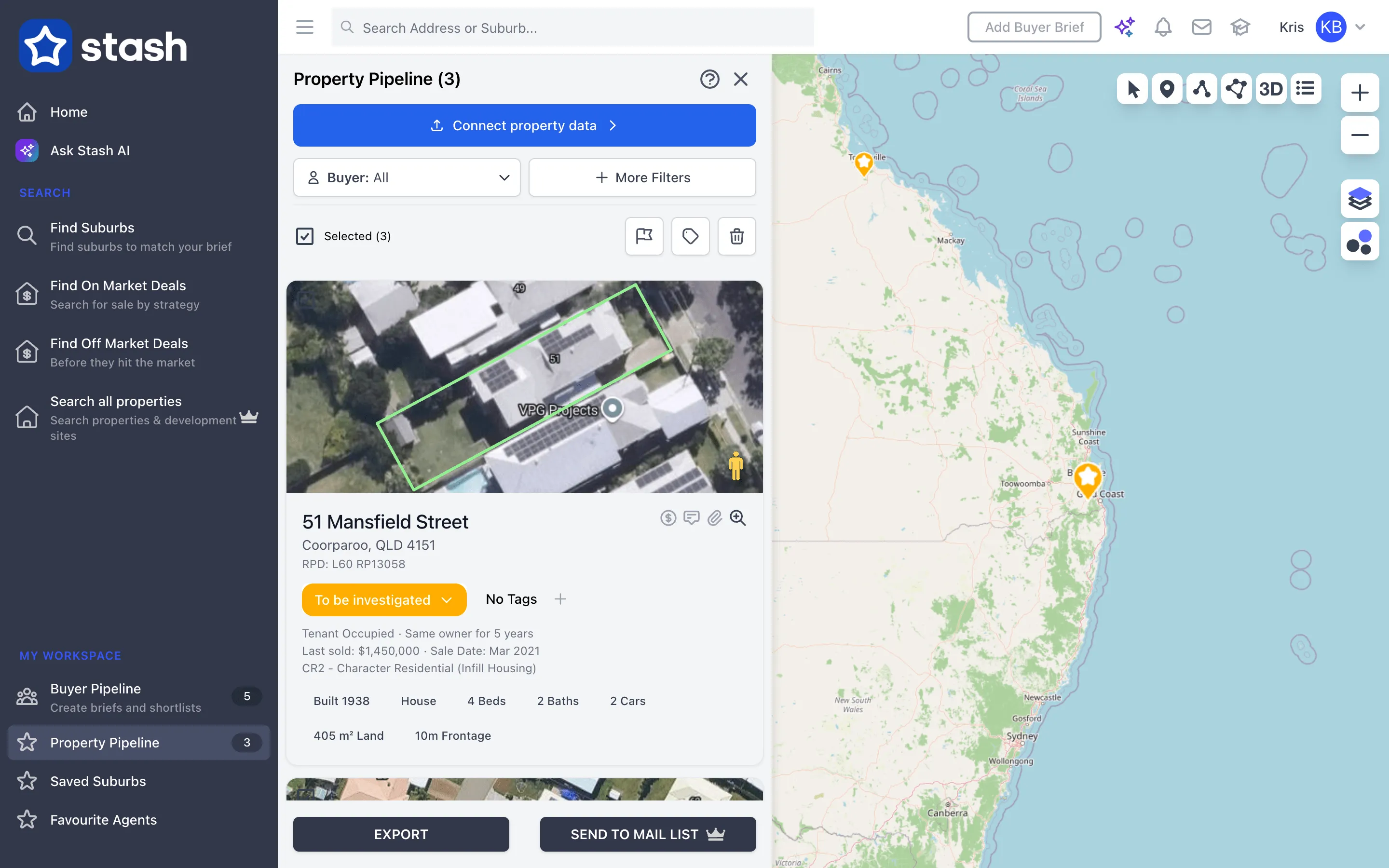
- Open your pipeline. In the side menu, click Property Pipeline.
- Narrow the list if you need to. Use the filters, search and Sort by to find the properties you want. Filter and track saved properties.
- Select the properties. Tick each property you want to export, or click Select All. In table view, use the checkbox at the top of the table to select every row.
- Click EXPORT. The button appears at the bottom of the page once you’ve selected at least one property. Stash downloads a CSV file to your computer.
The EXPORT button isn’t shown in the Stash mobile app. Open Stash in a web browser to export.
What’s in the file
Each row is one property. The columns are:
- Owner details: Owner Names, Owner Address, Owner Suburb, Owner Postcode, Owner State, Owner Phone and Owner Email
- Address: Street Number, Street Name, Address, RPD (lot and plan), Suburb, Postcode and State
- Your pipeline data: Status, Tags and Comments
- Property facts: Build Year, Area (sqm), Property Type, Zone, Bedrooms, Bathrooms and Car Spaces
- Sales and occupancy: Last Sale, Sale Date, Tenancy and Tenure
- Feasibility: Yes or No, depending on whether you’ve saved a feasibility for the property
- Reference: Updated At, Property ID and Property Link, a link back to the property in Stash
If you work with clients in Stash, properties saved for a client also include a Client Name column, and the same property can appear once for each client.
The Tags column includes your own tags plus features Stash detects, such as Corner or Dual Access blocks. Multiple values in one cell, such as several owners or tags, are separated by a vertical bar ( | ).
The owner columns are filled from the owner and contact details saved against each property. If you haven’t added any, they’re left blank. See owner details.
Common questions
Why can’t I see the EXPORT button?
Select at least one property first. The button only appears once something is selected.
Can I import the file back into Stash?
The export file is for use outside Stash. To bring your own property list into your pipeline, see Connect your CRM.
“Error occurred while downloading properties CSV file”
Try again in a minute. If it keeps happening, check Basic troubleshooting or contact us.