

Saving a feasibility keeps your figures against the property, so you can come back to them later, try a different scenario, or include the results in a property report.
Save a feasibility
- Run your feasibility. Open the property, go to the Feasibility card and click Create new feasibility. Fill in your figures. Run a feasibility study.
- Click SAVE FEASIBILITY. You’ll find it at the bottom of the Feasibility page.
- Name it. In the Save Feasibility dialog, enter a clear name, such as the strategy or number of lots, so you can find it again. Then click Save.
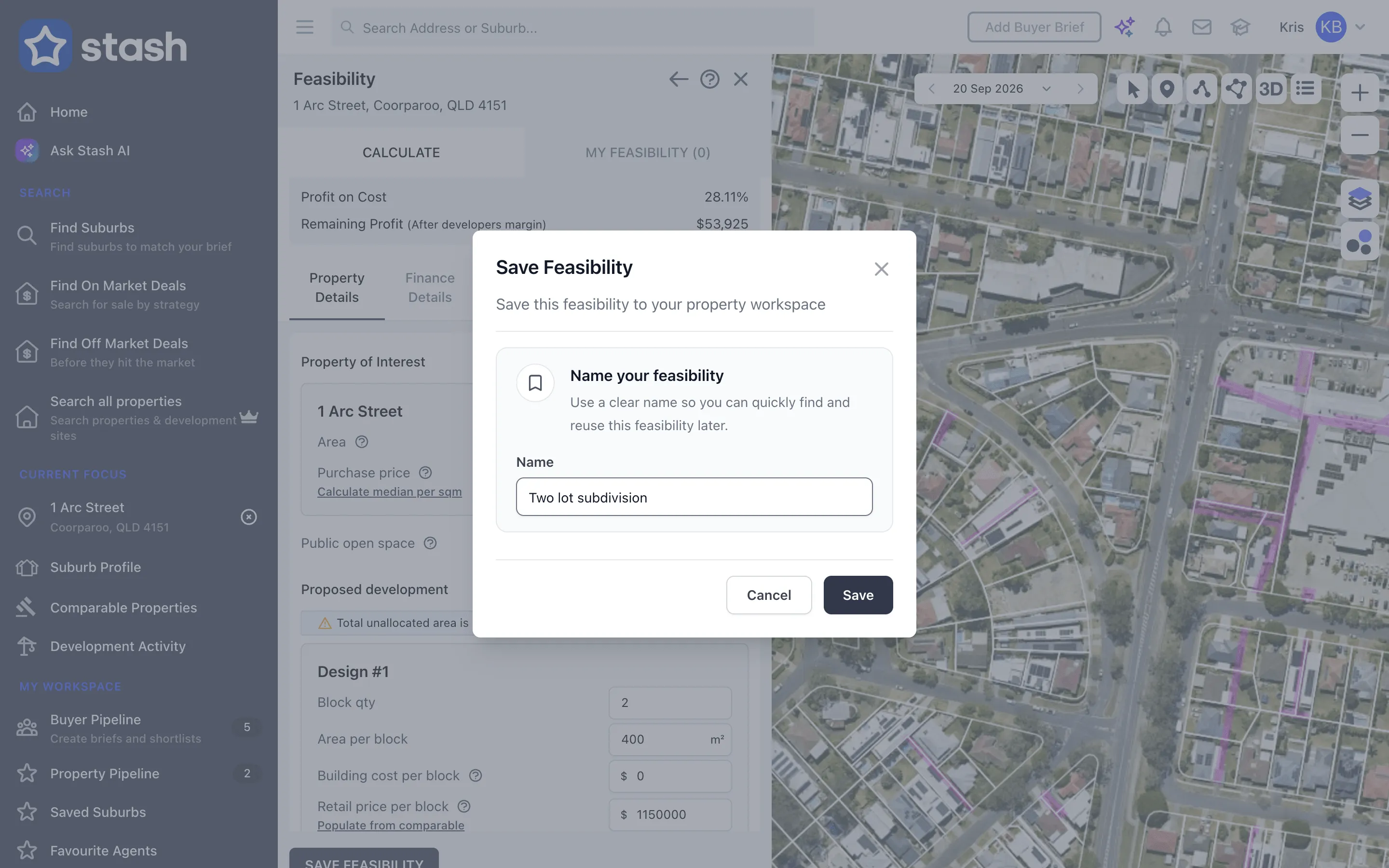
Stash confirms the save and the feasibility’s name appears in the Feasibility Summary heading.
If any field is marked in red, Stash asks you to resolve it before saving.
Find a saved feasibility
You can open a saved feasibility in two places:
- On the property page. Open the Due Diligence tab. Saved feasibilities are listed in the Feasibility card under Resources. Click one to open it.
- On the Feasibility page. Open the MY FEASIBILITY tab. The number in brackets shows how many you’ve saved for this property.
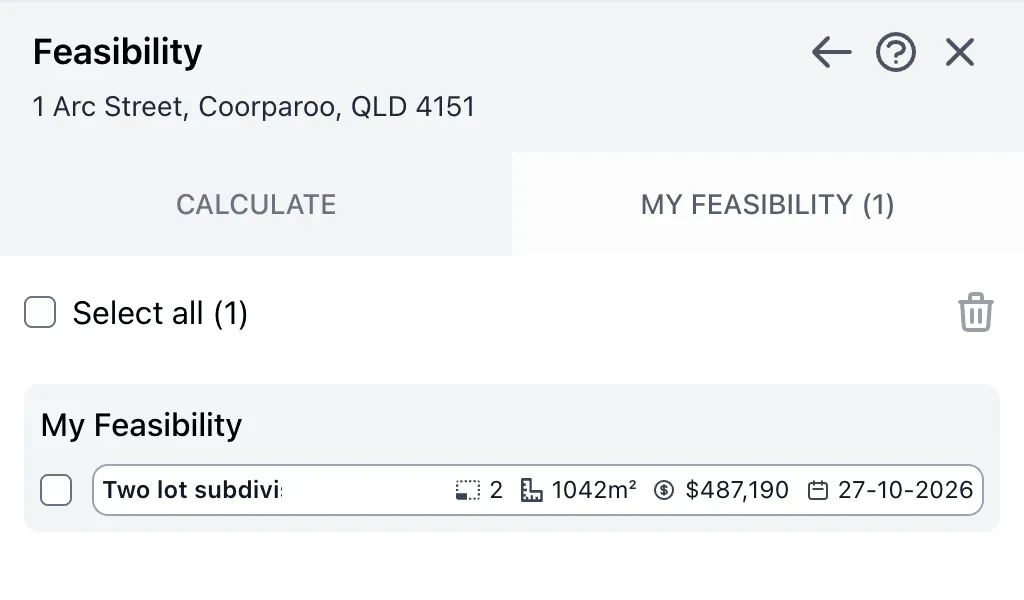
Each saved feasibility shows its name, number of blocks, area, net profit and the date it was created.
Update or copy a saved feasibility
Open the saved feasibility, change your figures, then click SAVE FEASIBILITY again.
- Keep the same name to update the saved feasibility.
- Enter a new name to save it as a separate feasibility and keep the original.
This makes it easy to compare scenarios on the same site, such as a subdivision against townhouses.
Delete a saved feasibility
- On the property page: click the bin icon next to the feasibility in the Feasibility card, then confirm with Delete Feasibility.
- On the MY FEASIBILITY tab: tick the feasibilities you want to remove (or Select all), then click the bin icon.
Deleting can’t be undone.
What you can do next
- Export it to Excel to work on the figures yourself.
- Add it to a property report to print or share as a PDF.
Common questions
Do I need to save the property to my pipeline first?
No. A feasibility is saved against the property itself. Saving the property to your pipeline makes it easier to find again, though. Stash and save properties.
Why can’t I see SAVE FEASIBILITY?
Make sure a property is selected. The button is disabled until the Feasibility page has a property loaded.