

You can download any saved feasibility as an Excel spreadsheet (.xlsx). It’s useful when you want to fine-tune the figures yourself, add your own notes, or send the numbers to a partner, broker or builder.
Before you start
- Only saved feasibilities can be exported. Save a feasibility study first.
- Export works in Stash in your web browser. The EXPORT button isn’t shown in the Stash mobile app.
Export a feasibility
- Open the property. Search for the address or click the property on the map.
- Open the saved feasibility. On the Due Diligence tab, click the feasibility in the Feasibility card. Or, on the Feasibility page, open the MY FEASIBILITY tab and click it there.
- Click EXPORT. It sits next to SAVE FEASIBILITY at the bottom of the page. Stash downloads the spreadsheet to your computer.
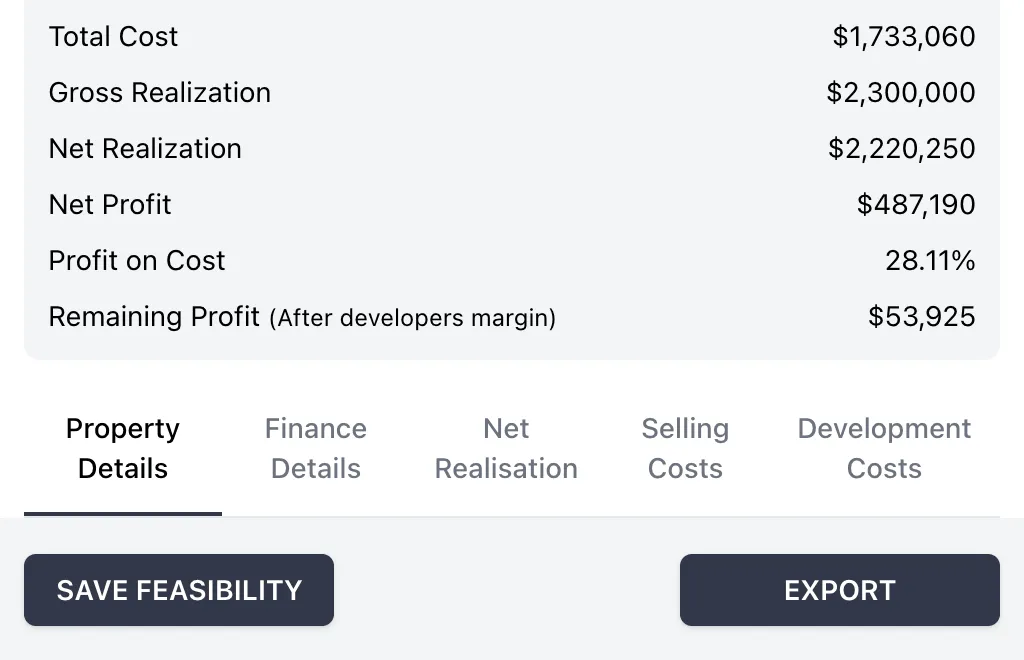
If you’ve changed figures since you last saved, save again before exporting. The spreadsheet uses the figures from the saved version.
What’s in the spreadsheet
The spreadsheet is filled in with the property’s address and the figures from your saved feasibility, including areas, purchase price, timing, costs, contributions and selling costs.
Stash picks the spreadsheet layout from your inputs:
- Subdivision if the building cost for every design is zero.
- Townhouse if any design has a building cost.
Edit the figures
Open the file in Excel or another spreadsheet app. The yellow fields are the inputs: change them and the results recalculate. As the spreadsheet notes, all yellow fields must be filled in to get a result.
Edits you make in the spreadsheet don’t flow back into Stash. To update the feasibility in Stash, open it, change the figures and click SAVE FEASIBILITY.
Delete a feasibility
To remove a feasibility you no longer need, open the MY FEASIBILITY tab, tick it and click the bin icon, or click the bin icon next to it in the property’s Feasibility card. Deleting can’t be undone.
Troubleshooting
I can’t see the EXPORT button
The button only appears once a feasibility has been saved and opened. If you’re on a new, unsaved feasibility, save it first. On the Stash mobile app, use a computer instead.
“Error occurred while downloading XLSX file”
Try again in a minute. If it keeps happening, check Basic troubleshooting or contact us.
Related
- Print feasibility results as part of a property report.
- Run a feasibility study.