

Instead of printing letters yourself, you can send them through the Stash mailhouse. We print each letter and post it to the owner, and you pay for the whole campaign in one go.
Before you start
- Prepare your campaign first: add properties to your mail list and design your letter. Print letters to owners.
- Turn on Envelope overlay in the design step. Mailhouse letters need the yellow address box so the address shows through the envelope window.
- The mail list needs a plan that includes it. See plans.
Send your letters
- Preview your letters. On the Design letter step, turn on Preview mode and check every page. Stash asks you to preview before you can continue.
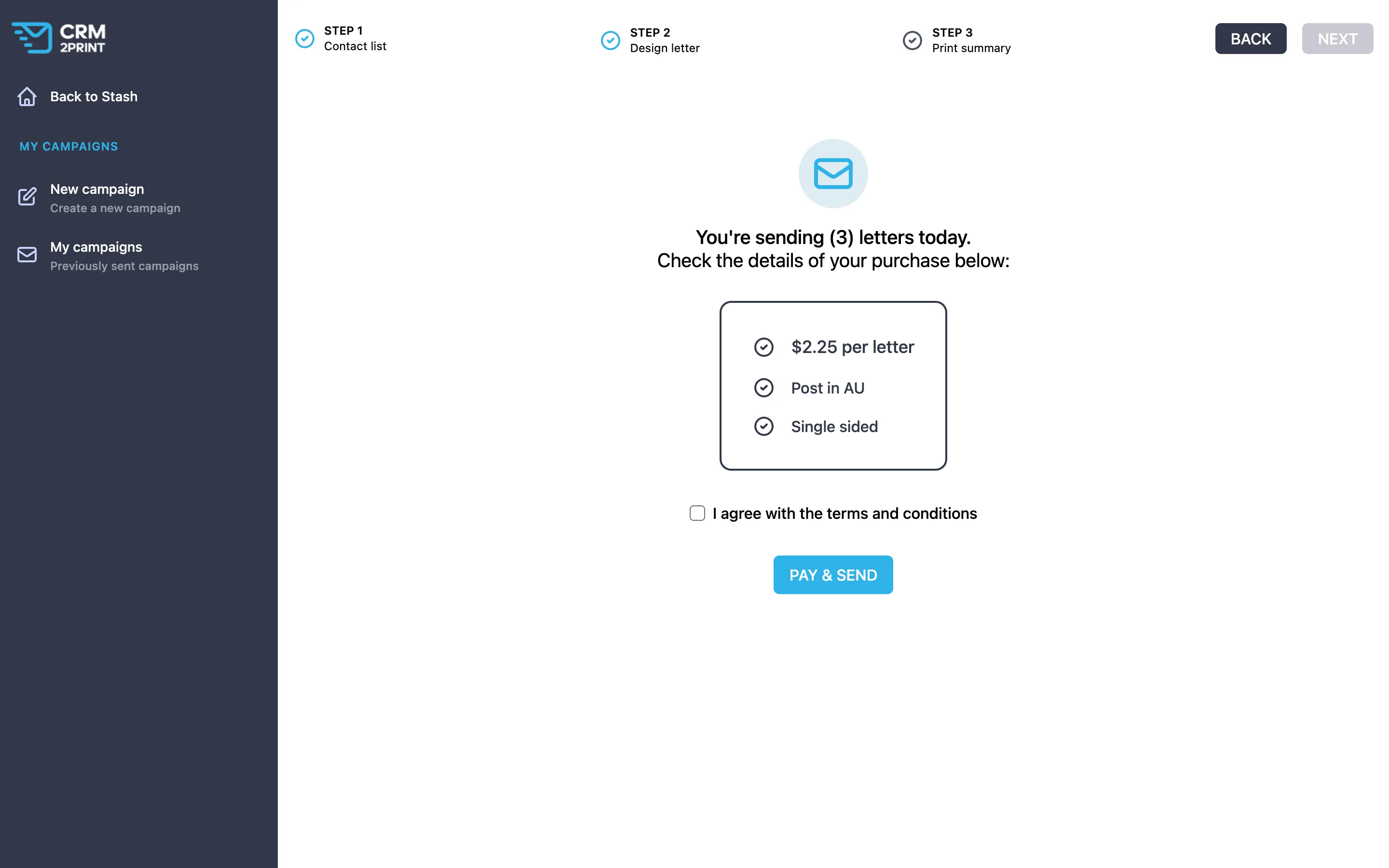
- Click NEXT. You’re taken to the Print summary.
- Check the details of your purchase. The summary shows the price per letter and confirms the letters are posted in Australia (Post in AU) and printed Single sided.
- Agree to the terms. Tick I agree with the terms and conditions.
- Click Pay & Send. Stash prepares a quote for the whole campaign and takes you to the payment page. A handling fee and tax are added at checkout.
- Complete the payment. Once it’s processed, you’ll see Your letters have been sent successfully!
If you leave the payment page without paying, the order is cancelled and you go back to your campaign, so you can try again.
Before or after you send, move the properties to a status such as Letter sent and give it a reminder, so Stash prompts you to follow up. Set up auto reminders.
See past campaigns and receipts
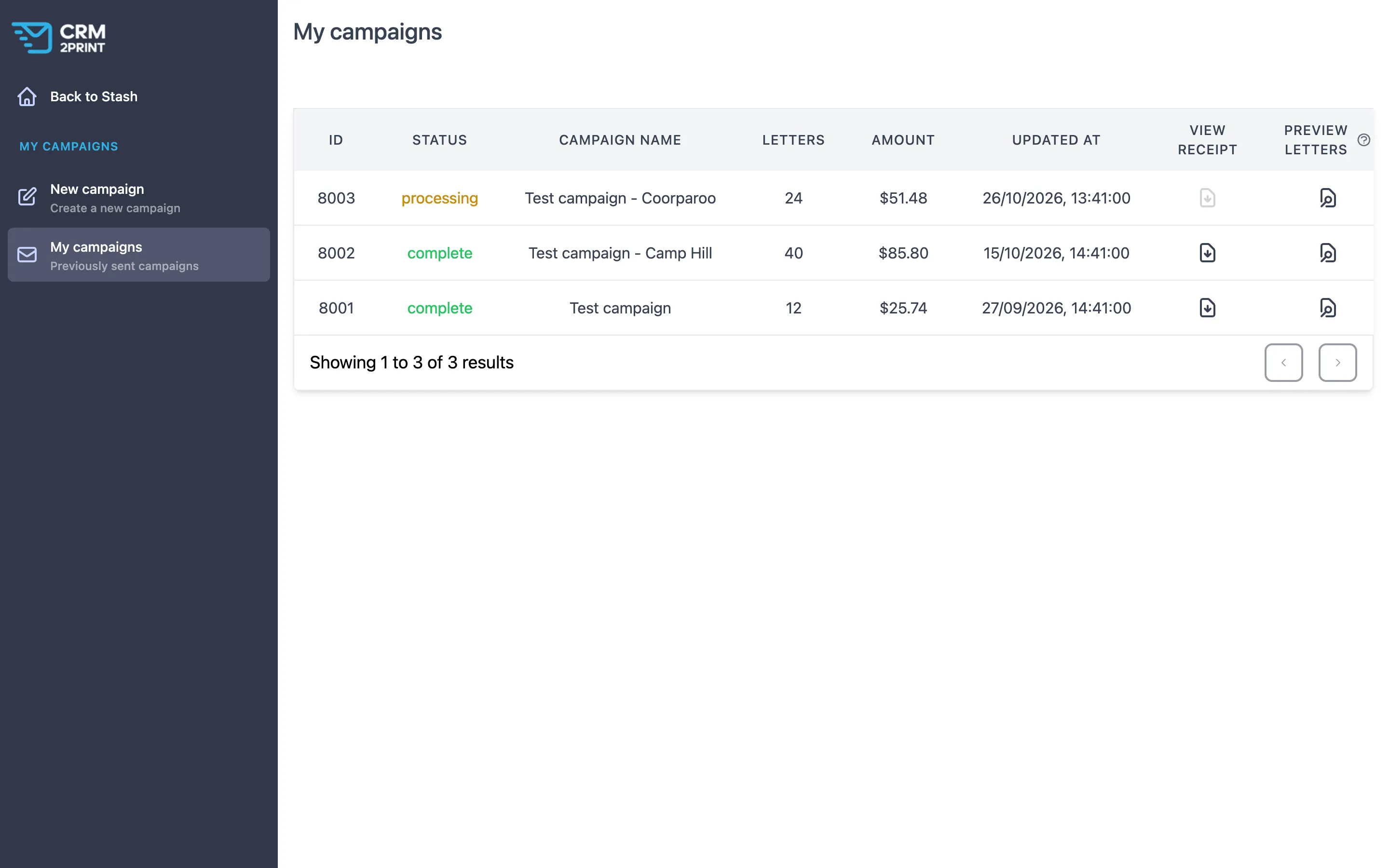
Click VIEW MY PRINTS after sending, or open My campaigns in the mail list sidebar. Each campaign shows its Status, number of Letters and Amount. Use View receipt to download the receipt.
In Property Pipeline, the Mail List filter shows the properties in each recent campaign. Filter and track saved properties.
Common questions
How much does it cost?
The price per letter shows on the Print summary before you pay, and the full total with fees shows at checkout.
What size and paper are the letters?
Letters are A4 and printed single sided.
Can I send letters overseas?
No. Mailhouse letters are posted within Australia.
I can’t click Pay & Send
Make sure you’ve ticked I agree with the terms and conditions and that the quote has finished loading. If the mail list or SEND TO MAIL LIST shows a lock icon, your plan doesn’t include it. See plans. If you think it should, contact us.
Can I send coloured paper or envelopes?
Not through Stash. For a custom print job, contact us.