

Auto reminders make sure you follow up on time. You attach a reminder to a pipeline status, and whenever you move a property into that status, Stash works out a due date and lets you know when it arrives.
Before you start
Reminders work on saved properties. Stash and save properties and set up your statuses first. Customise statuses and map buttons.
Add a reminder to a status
- Open Pipeline Statuses. Click your avatar at the top right, choose My Profile, then open the Workflows tab. On a saved property you can also click … on the Property Flags card and choose Workflow Management.
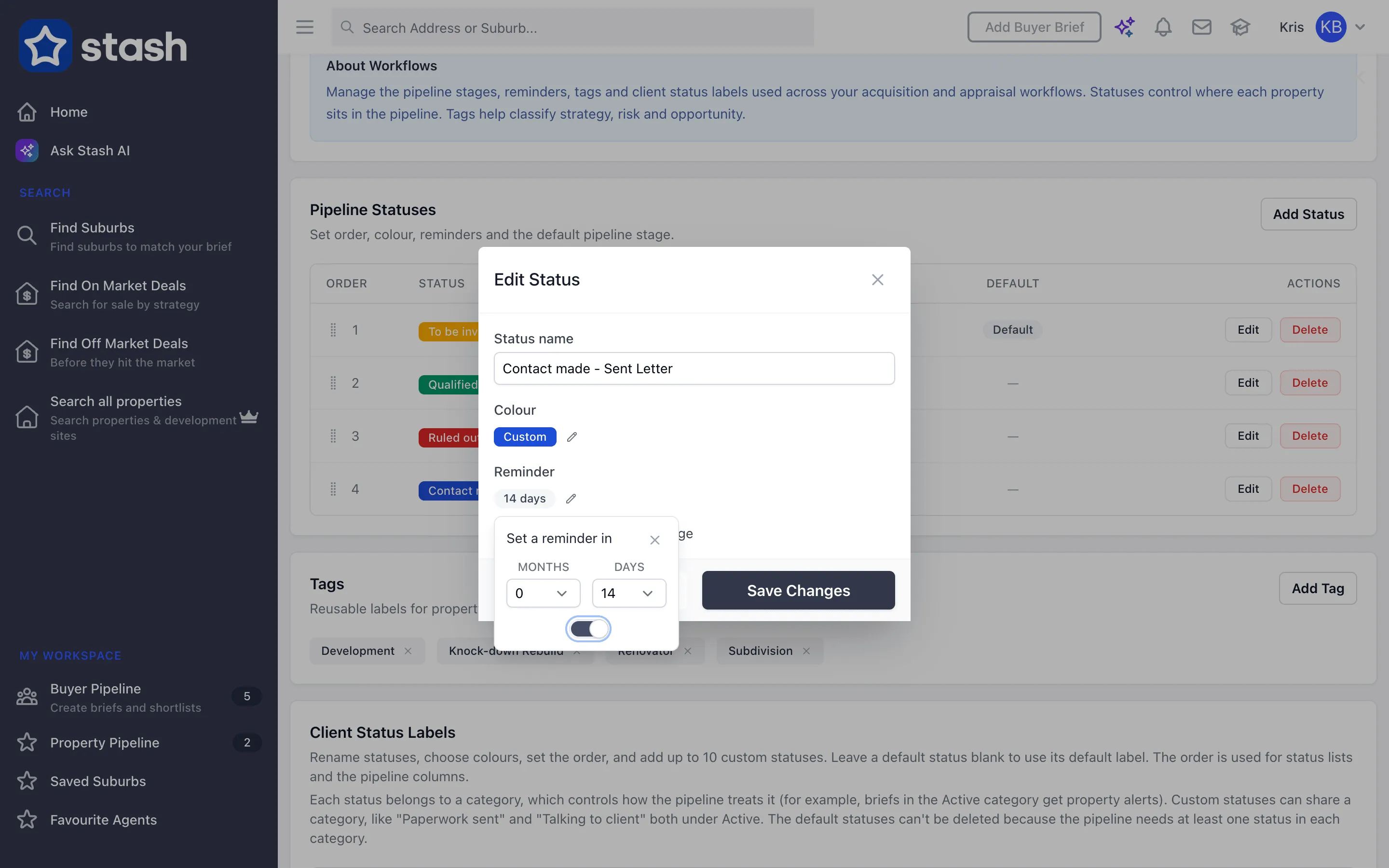
- Edit the status. Click Edit next to the status you want reminders for, such as the stage after you’ve sent a letter.
- Set the timing. Next to Reminder, click the edit icon. Under Set a reminder in, choose the Months and Days.
- Turn the reminder on. Switch the toggle on. The reminder shows as a label, such as the number of days or months.
- Click Save Changes. The Reminder column in Pipeline Statuses now shows the timing.
Use the reminder
- Move a property into the status. Pick the status from Pipeline Status: on the property, or update many properties at once in Property Pipeline. Statuses with a reminder show a bell icon in the status list.
- Wait for the due date. The due date is the day you set the status plus the months and days you chose.
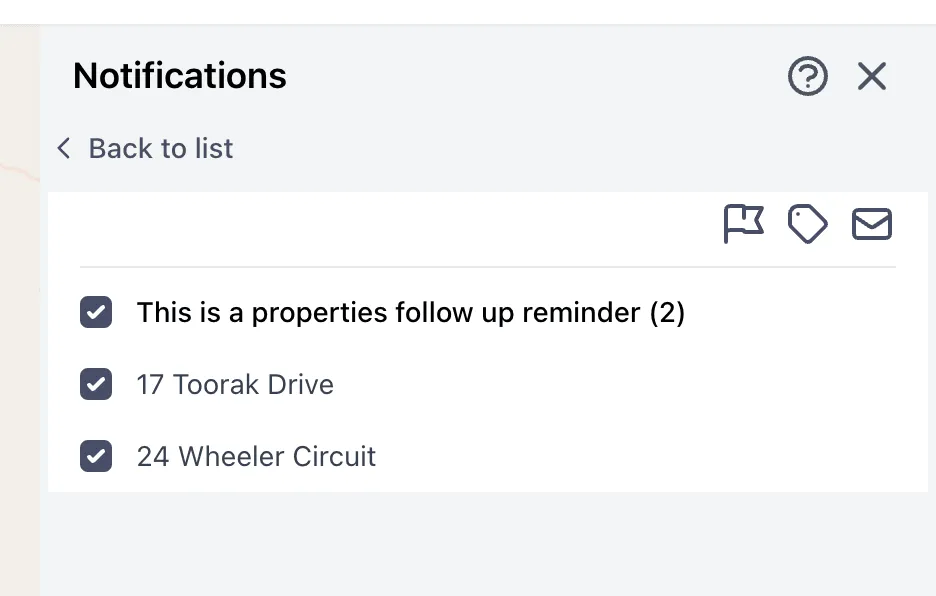
- Check your notifications. When properties are due, the notifications bell at the top of Stash shows a new notification, such as “You have 3 properties to follow up”.
- Act on the properties. Open the notification to see the properties that are due. Tick the ones you want, then change their status, change their tags or add them to your mail list in one go.
Give each stage its own reminder. When you move a property on to the next status, its reminder is replaced by that status’s reminder.
See what’s due in your pipeline
In Property Pipeline, choose Due Date under Sort by: to order your saved properties by their reminder date. Filter and track saved properties.
Common questions
I changed a status’s reminder. Why didn’t existing properties update?
A property’s due date is set when it moves into the status. Changing the reminder later applies the next time you set a property to that status.
How do I stop a reminder?
To stop the reminder for one property, move it to a status without a reminder. To stop new reminders for a status, edit the status, open Reminder, switch the toggle off and click Save Changes. Properties already in that status keep their current due date.
Do reminders go to my email?
Reminders appear in your Stash notifications. Check the bell at the top of the app.