

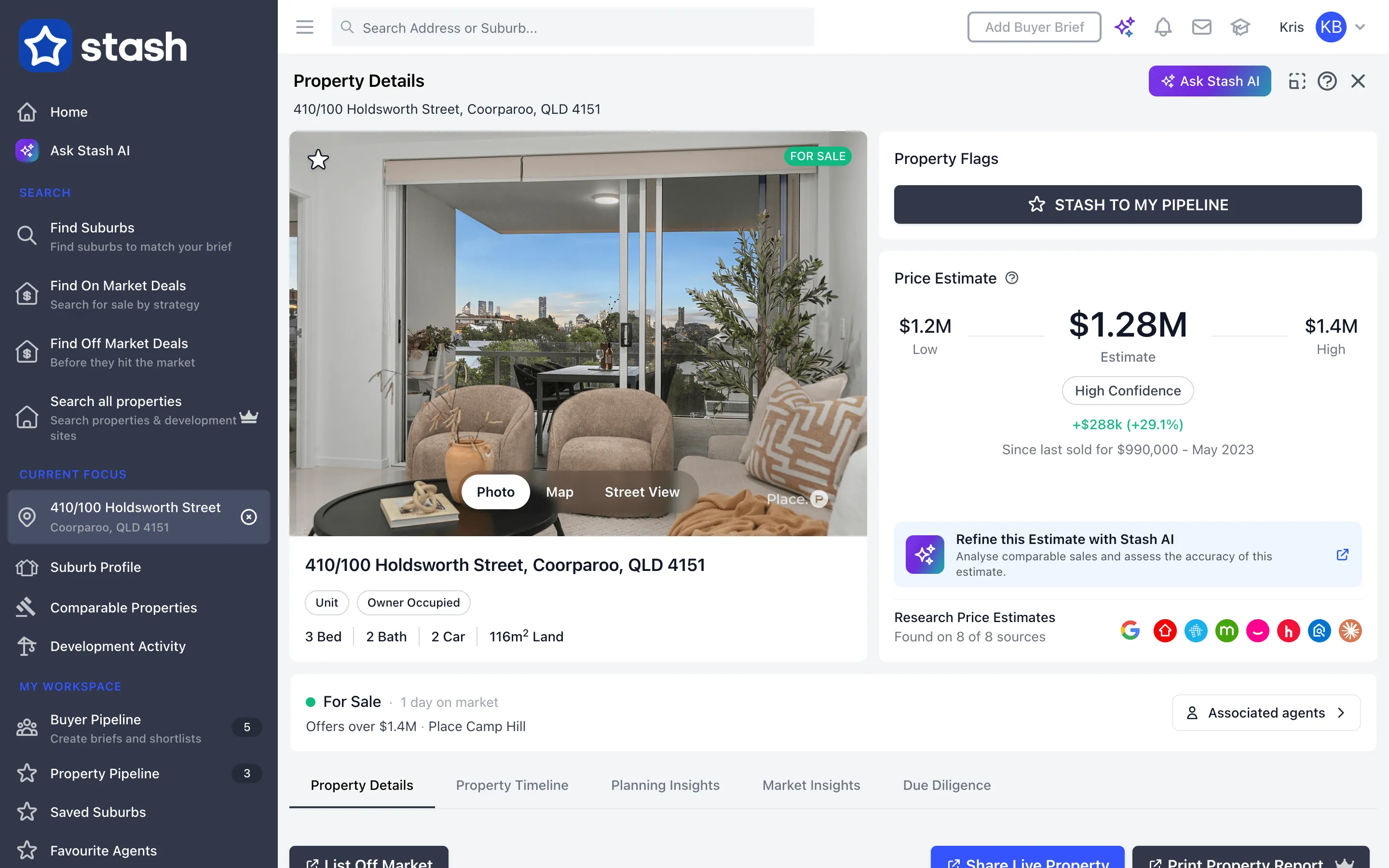
Stash shows a property’s current market status on its property page, so you can tell straight away whether it’s listed, how long it’s been on the market and which agency has it.
Check one property
- Find the property. Type the address into the Search Address or Suburb… bar at the top of the page and pick it from the list.
- Look for the listing status. If the property is listed, the property page shows its status with a coloured dot:
- For Sale (green): the property is on the market for sale.
- For Rent (amber): the property is listed for rent, with the weekly price.
- Off Market (purple): the property has been listed off market, before going to the portals.
- Read the details. Next to the status you’ll see how many days it’s been on the market and the listing price, or Contact Agent if no price is shown, plus the agency.
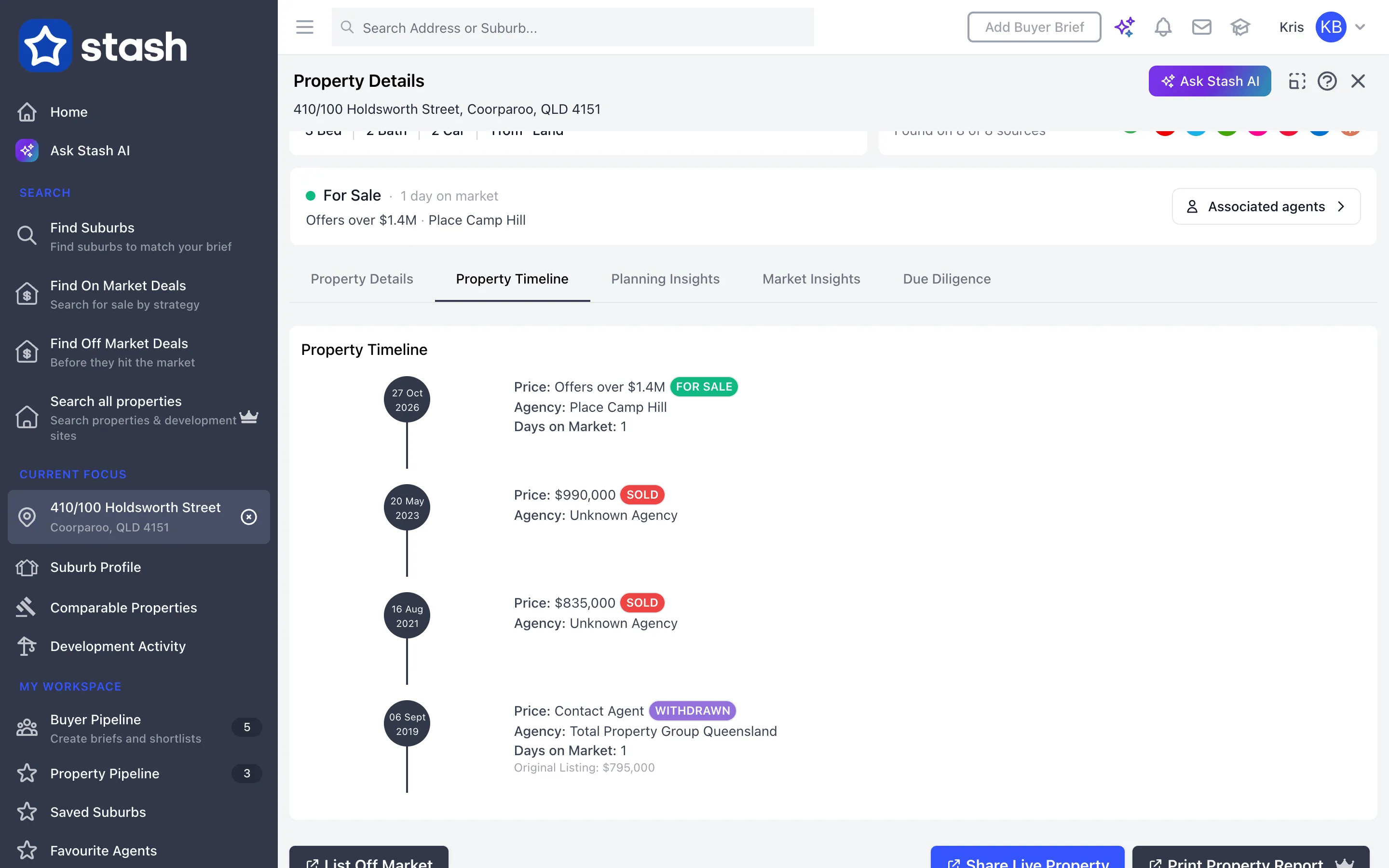
- See the history. Open the Property Timeline tab to see the current listing alongside past listings and sales. See View sales history.
If there’s no status, Stash doesn’t have a current listing for that property.
Use the live links on the property page to jump to the property on the major portals. See Live links to property portals.
See everything for sale in an area
To find all the listings in a suburb rather than checking one address at a time, use Find On Market Deals in the side menu. Matching listings appear in the results and on the map. See Find on-market deals.
Check your saved properties
In your Property Pipeline, use the Listing Status filter and choose On Market to show only the saved properties that are currently listed. See Search filters and table view.
Stash receives listings from industry partners, agents’ CRMs and our real estate agent members. A property listed only on a portal Stash doesn’t receive listings from may not show as for sale. See Where Stash sources its data.
Common questions
The old For Sale map layer is gone
Listing status now shows on each property page, and you can find every listing in an area with Find On Market Deals.
A property I know is for sale shows no status
It may be listed on a portal Stash doesn’t receive listings from. Check the live portal links on the property page.