

Hotspots ranks every suburb in Australia against the measures investors care about, such as growth, rental yield, vacancy and days on market. Set the ranges that suit your brief and Stash returns the suburbs that fit, ready to search for deals.
Find suburbs
- Open Hotspots. In the side menu, choose Find Suburbs.
- Set the basics. Choose a State, and optionally one or more councils under Council. Pick a Property Type (required) and a Median Price range.
- Start from a preset (optional). Choose one under Strategy Presets to fill in the sliders for a common strategy, then adjust them.
- Move the sliders. Each section has sliders you can set:
- Market Performance: Suburb Growth (10 YR CAGR), Suburb Growth (12 MTHS), Sales Volume (12 MTHS), Market Absorption and Days on Market.
- Investment & Yield: Rental Yield, Vacancy Rate, IQR Variance (% Median) and Affordability Score.
- Development: Building Approvals Ratio (buyers agent accounts).
- Demographics & Social: School ICSEA (Suburb Avg), Social Profile (SA1), Population Growth (5Y), Population, Owner Occupier and Social Housing.
- Location: Metro or Regional (Metro, Coastal, Regional or No Preference), Distance from major city and Exclude Mining Towns.
- Choose a sort order. Use Sort, for example Rental Yield - Descending.
- See the results. The button at the bottom shows how many suburbs match, such as SEARCH 120 RESULTS. Click it to open the list. If it says NO RESULTS FOUND, widen one or two sliders.
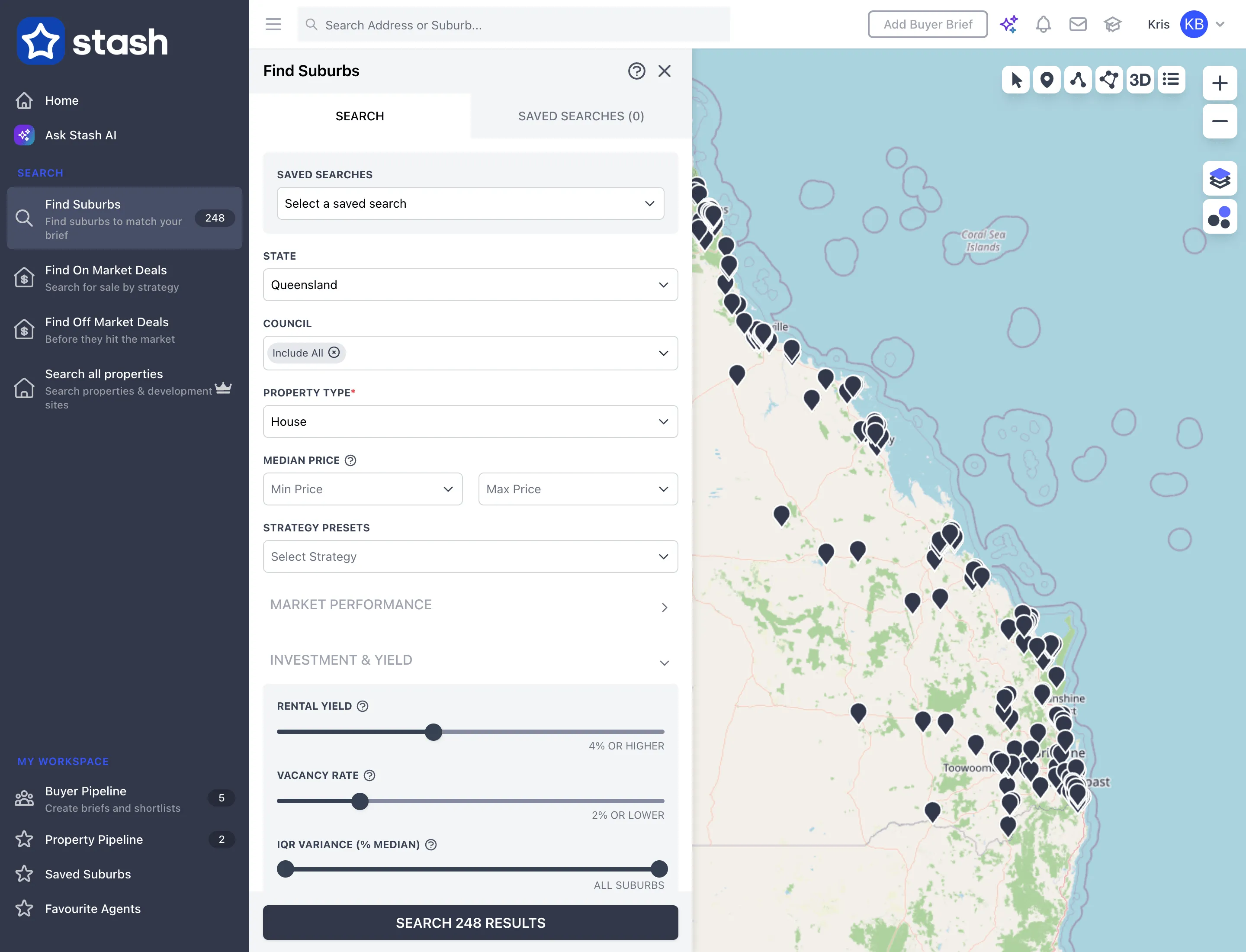
Hover over the question mark icon next to any measure to see what it means. For full definitions, see the Stash data dictionary.
Go from suburb to deals
- Pick a suburb. In the results table, click the magnifying glass on a suburb’s row.
- Choose a search. Click On Market to see what’s for sale there, or Search All Properties to search every property in the suburb. See Find on-market deals and Find off-market properties.
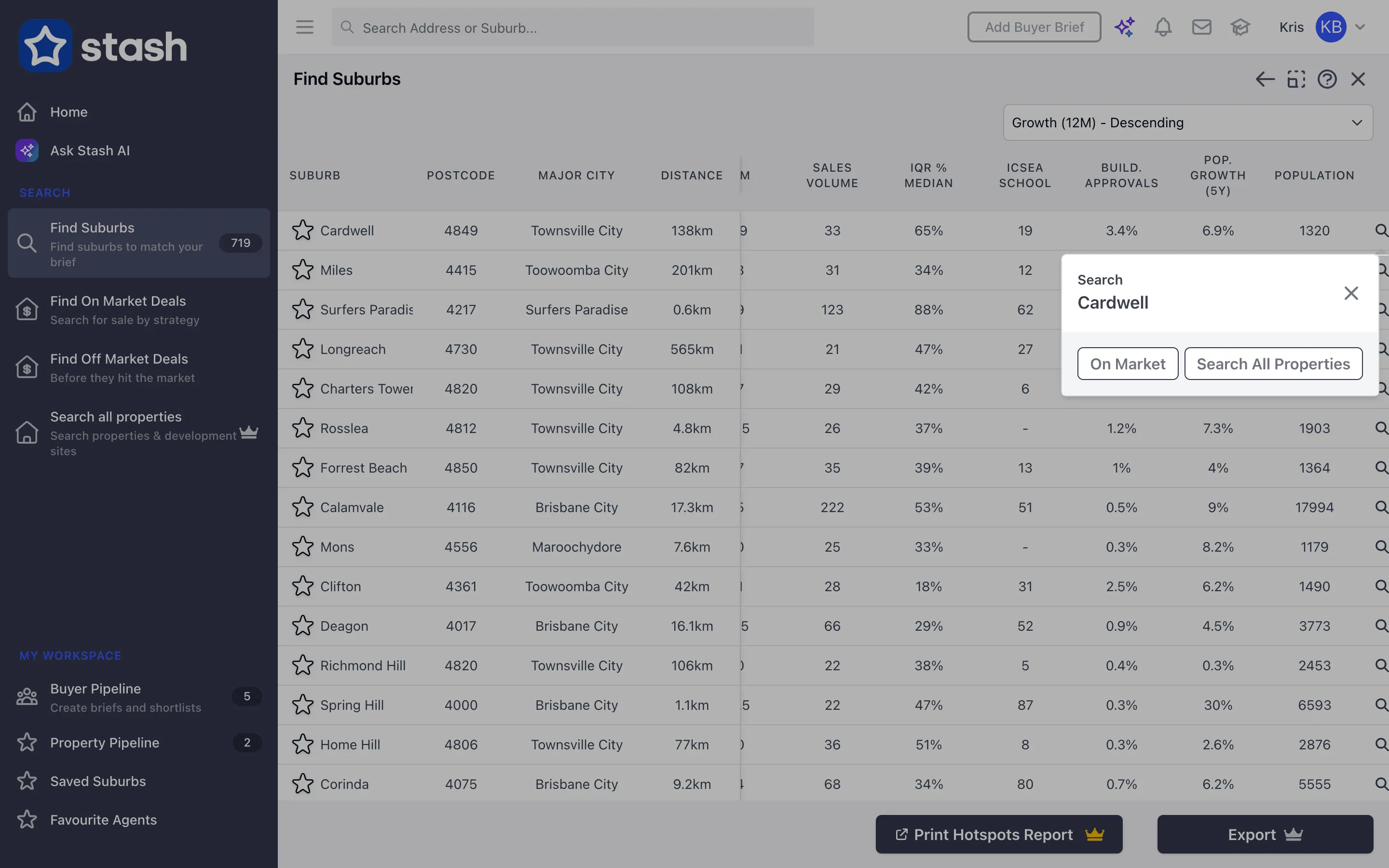
From the results you can also click Print Hotspots Report or Export to share the shortlist, if they’re included in your plan.
Save your search
Click SAVE THIS SEARCH, give it a name and save. Next time, choose it from Select a saved search at the top of the form, or open the Saved Searches tab. RESET DEFAULT VALUES clears the sliders.
What the key measures mean
- Suburb growth: the change in median value over 12 months, or the average yearly growth over 10 years (CAGR).
- Rental yield: yearly rent as a percentage of value.
- Vacancy rate: the share of rentals that are empty or available.
- Market absorption: how quickly the listings on the market are selling.
- Days on market: the average time properties take to sell or come off the market over the last 12 months.
- Owner occupier: the share of homes lived in by their owners rather than rented.
Past growth doesn’t guarantee future growth. Use Hotspots to build a shortlist, then do your own research on each suburb.
Common questions
I see a lock icon on Find Suburbs, the report or export
That part of Hotspots isn’t included in your current plan. See plans.