

Find On Market Deals searches properties that are currently for sale, so you can spot listings that suit your strategy, such as renovation upside, rental yield or a quick sale.
Search for listings
- Open the search. In the side menu, choose Find On Market Deals.
- Choose where to search. In Suburb, Postcode or Council, add one or more areas. To search the area you’re looking at on the map instead, turn on Use current map location.
- Set the property basics. Choose a Property Type and a Price Range. Click EXPAND SEARCH FILTERS for Build Year, Bedrooms, Bathrooms, Car spaces and Area.
- Describe what you want (optional). Under What are you looking for?, type any must-haves or things to avoid, for example “pool, no main road”. This uses Search with AI and is in beta.
- Narrow by owner and zoning. Use Length Of Ownership (10+, 20+ or 30+ years), Occupancy Type (Tenant Occupied or Owner Occupied) and Property Zoning.
- Use the listing filters.
- List Price below suburb median: show listings priced 10%, 20% or 30% below the suburb median, a quick way to find renovation potential.
- Suburb Rental Yield: limit results to suburbs with the rental yield you’re after.
- Listing Keywords: pick keywords found in listings. With two or more selected, choose ANY or ALL.
- Click EXPAND LISTING FILTERS for Days On Market and Display Withdrawn Listings Only.
- Check amenities (optional). Tick Train station within, and under EXPAND AMENITIES Bus stop within or Town Centre/Shops within, then set the distance.
- Search. Tick Exclude Under Offer to hide listings that are under offer, choose a Sort order and click SEARCH.
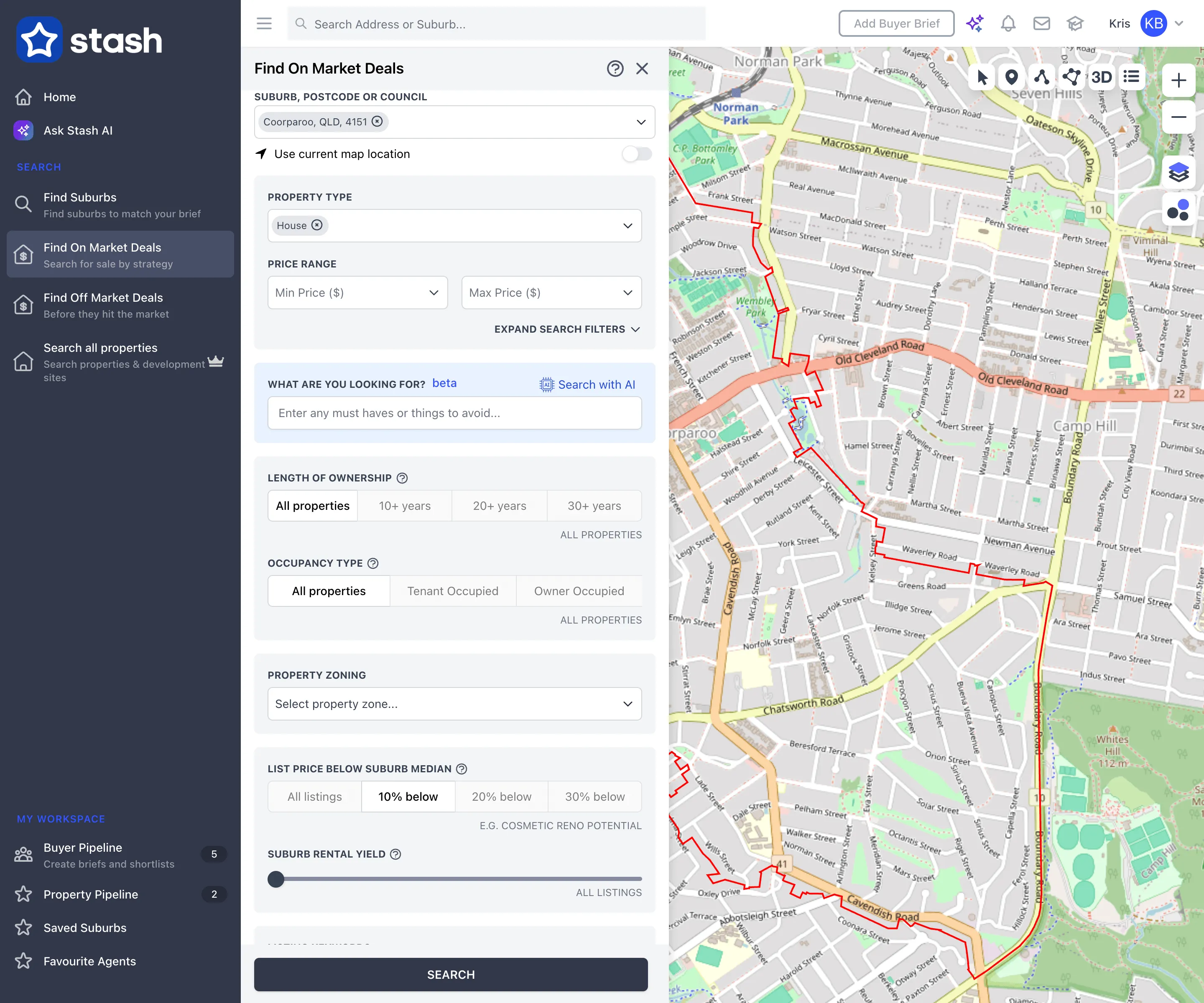
To clear everything except your location, keywords and sort, click RESET DEFAULT VALUES.
Work with the results
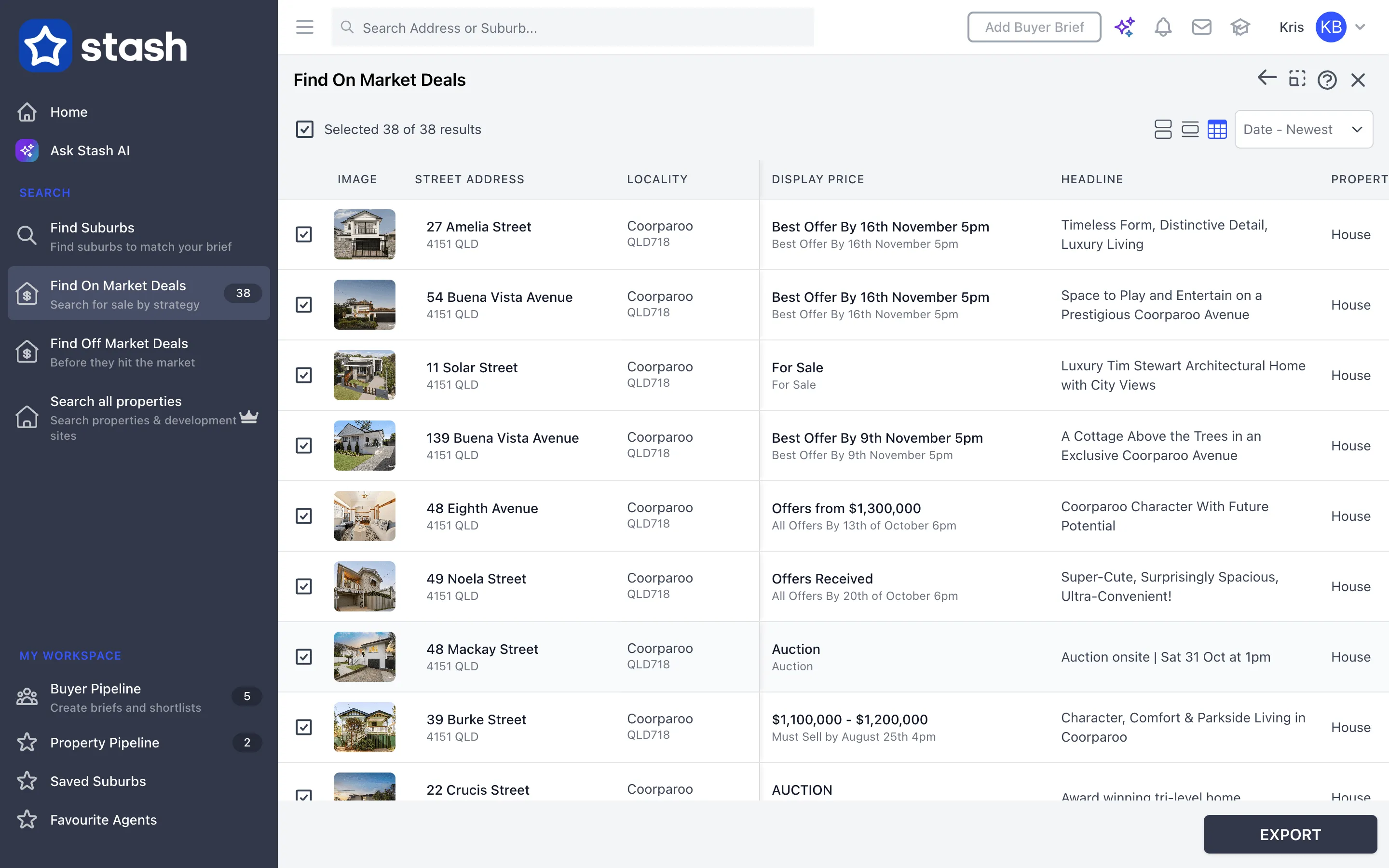
- Matching listings appear in the panel and on the map. Click a listing to see its details.
- Switch between Stacked View, List View and Table View with the icons above the results.
- Tick listings or use Select All, then click EXPORT to download them as a CSV or XLSX file.
- To change your search, click the back arrow at the top of the panel.
Stash receives listings from industry partners and agents, but a listing on a portal Stash doesn’t receive may not appear. See Where Stash sources its data.
Not sure where to look? Use Hotspots to find suburbs that match your brief, then jump straight to their on-market listings.
Common questions
I see a lock icon on Find On Market Deals
The feature isn’t included in your current plan. See plans.
What happened to strategies?
The old strategy picker is now Listing Keywords, and you can combine keywords with ANY or ALL.
How do I search properties that aren’t for sale?
Use Search all properties. See Find off-market properties.