

Keep your details current so you keep getting important emails and your reports and letters show the right information. You can update your profile yourself at any time.
Update your profile
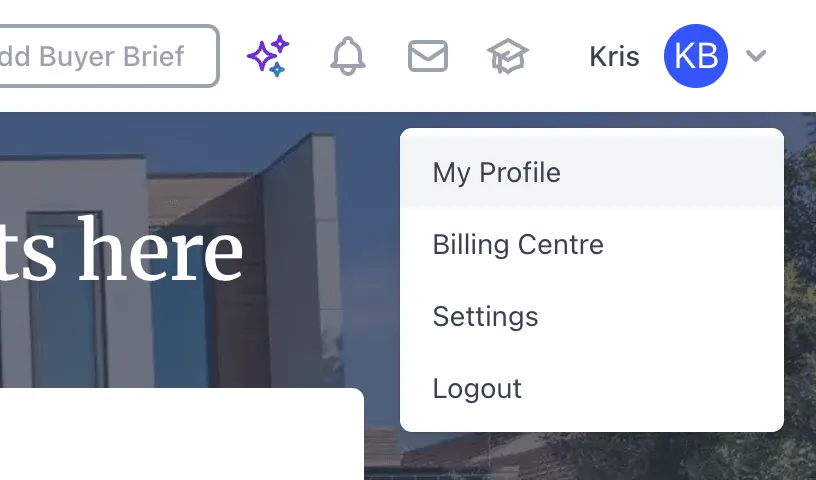
- Open your profile. Click your name at the top right of Stash, then choose My Profile.
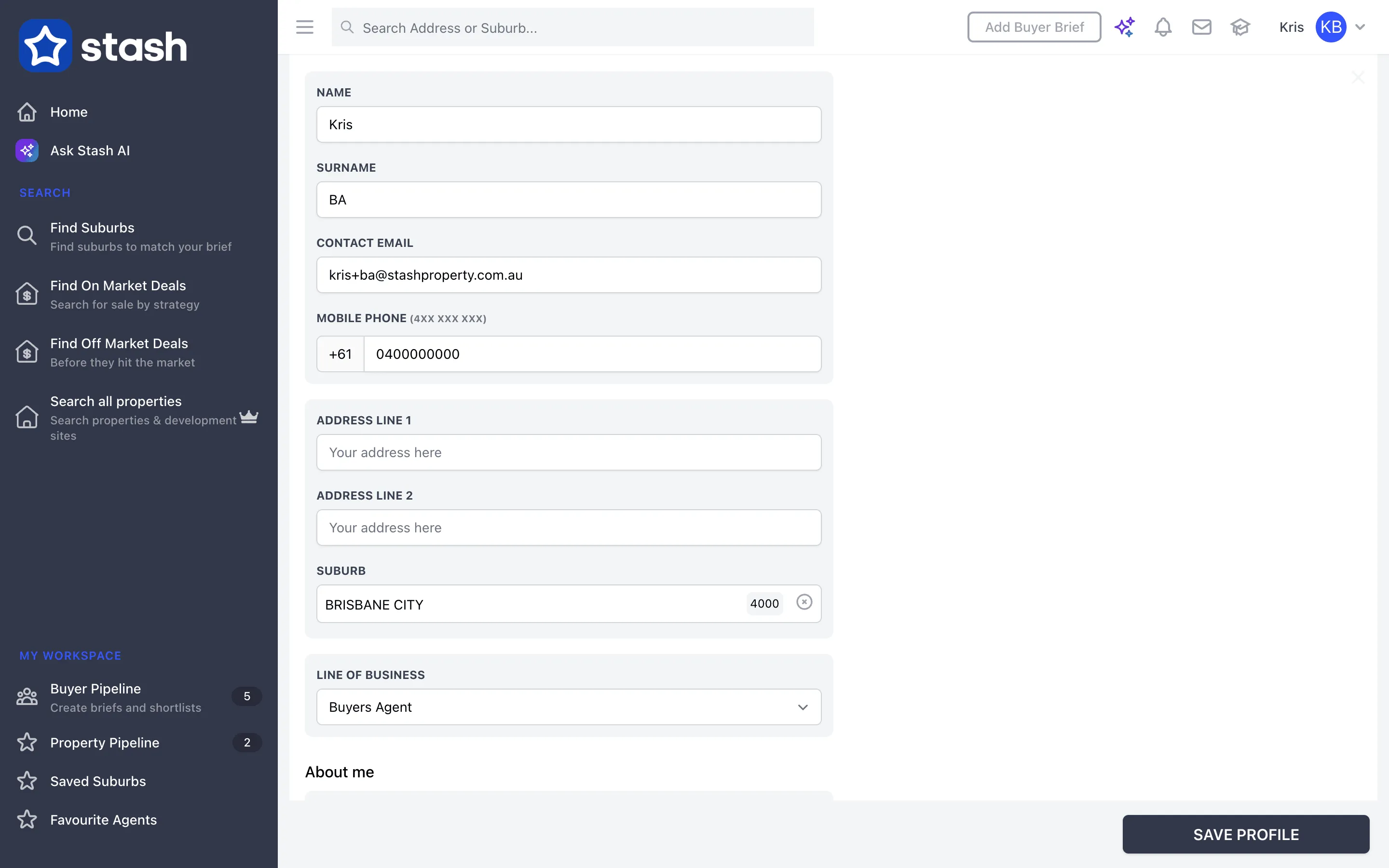
- Edit your details. On the My Profile tab, under User Details, update any of these:
- Name and Surname
- Contact Email
- Mobile Phone
- Address line 1 and Address line 2
- Suburb (required)
- Line of Business
- Change your photo (optional). Click your avatar at the top of the form to upload a new profile photo, up to 5 MB, and crop it.
- Save. Click SAVE PROFILE at the bottom of the page. You’ll see Profile Updated! when your changes are saved.
Contact Email is the address we use to contact you. Changing it doesn’t change the email you log in with. To change your login email, contact support@stashproperty.com.au.
Buyers agents
If your line of business is Buyers Agent, your profile also has About me (Tell Buyers About You, Testimonials, the year you became a buyers agent, Languages Spoken and Licenses & Membership #) and Memberships & Associations. Fill these in to tell buyers about you.
Other profile tabs
Depending on your line of business and role, you may also see tabs such as My Team, Company Profile, Branding, API Access and Workflows. If you’re part of a team, some settings are managed by your team admin.
Common questions
I can’t save my profile
Check that Name, Surname, Contact Email, Mobile Phone and Suburb are filled in. Choose your suburb from the suggestions list rather than just typing it.
How do I change my password?
Use Forgot Password? on the login page. See Reset your password.
How do I change my plan or card?
Go to Billing Centre from the same menu. See Update your card details.