

Updated November 2026: we’ve added a plain-English answer to “what is a flood overlay?” and updated the steps. The Flooding and Bushfire tick-boxes are now overlays in the map’s Layers panel, and the hazard details are on the property’s Planning Insights tab.
We understand that you’ve been keen on these new features inside Stash and we wanted you to be the first to give them a spin.
Drum roll, please….. The Dev team have been super busy developing our National access to Flooding & Bushfires feature inside Stash. Let’s get started!
Newly Released Feature: Bushfire and Flooding Layers
What is a flood overlay?
A flood overlay is a map in a council’s planning scheme that marks land that may be affected by flooding, such as river or creek flooding, overland flow from heavy rain, or storm tide. If a property is in a flood overlay, it doesn’t change the zoning. It means extra planning rules apply to new building work or development there, such as minimum floor levels, and you may need approval for work that wouldn’t need it elsewhere.
A flood overlay on a property doesn’t mean the house has flooded, or will. It means council has assessed the land as at some risk. The names and rules differ by state:
- Queensland: each council maps flooding in its planning scheme. Brisbane’s Flood overlay sorts land into flood planning areas by how likely and how severe flooding is. Brisbane owners can download a free FloodWise Property Report with flood levels for a property.
- Victoria: the original flood controls are the Land Subject to Inundation Overlay (LSIO), the Floodway Overlay (FO) and the Special Building Overlay (SBO), which covers stormwater overland flow in urban areas. The state is moving councils to new flood provisions, so check your council’s current planning scheme.
- NSW: flood rules are in each council’s local environmental plan and development control plan, usually tied to a mapped flood planning area. Flood studies are collected on the NSW Flood Data Portal.
Before you buy, ask council for a flood search or report on the property, and check what it means for insurance. The flood overlay is a planning tool, not a guarantee either way.

Knowing the hazards in the area (like flooding and bushfires) of your target property is one of the factors to be considered since they give you an idea of what adjustments you have to do when doing the development.
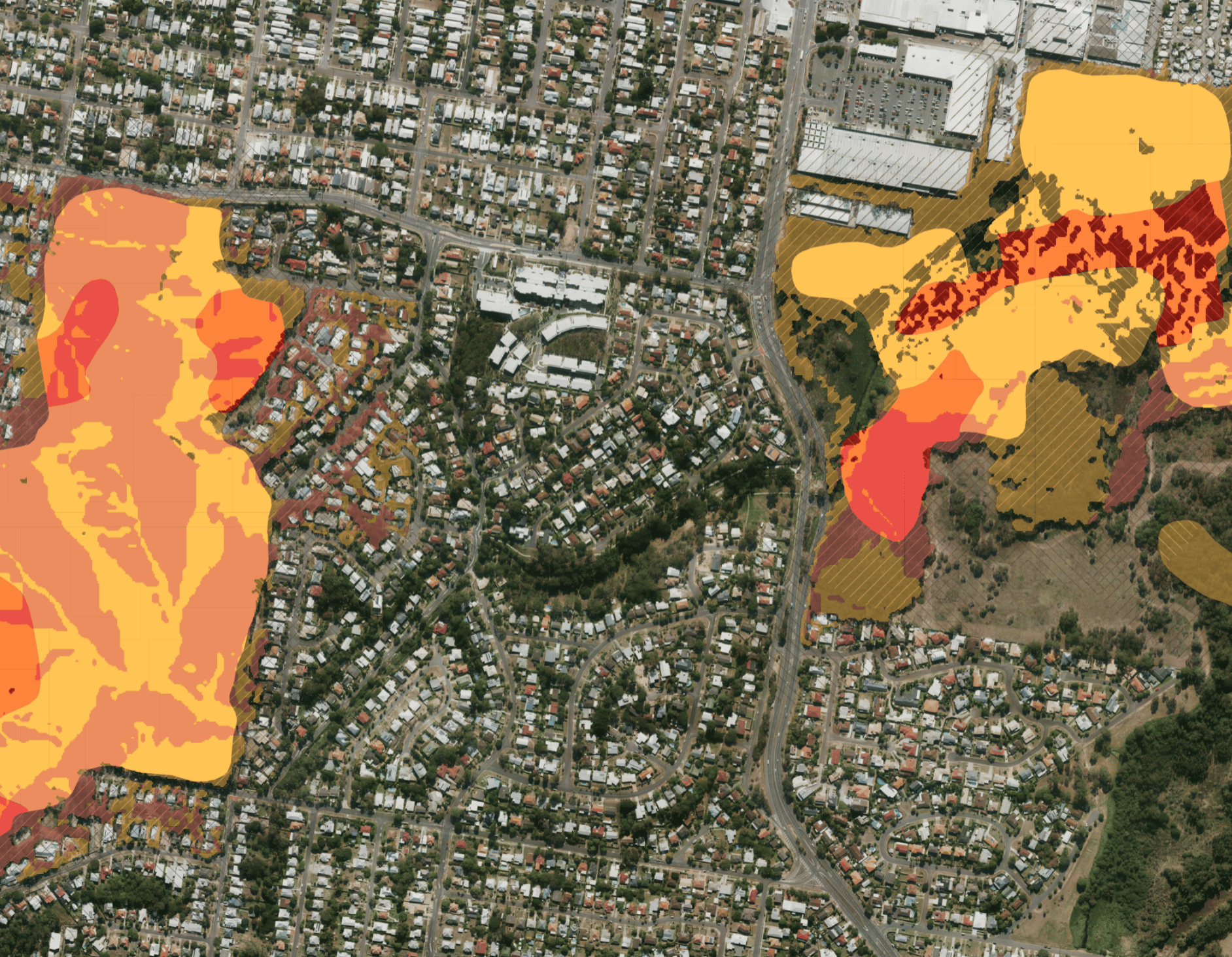
The level of bushfire hazard that a building experience is influenced by a combination of factors, including the weather and local climate conditions, topography, and fuel load from unmanaged vegetation: as well as other consequential fire sources.
Bushfires are common in many parts of Queensland and can pose significant challenges for people living in bushfire-prone areas. Understanding how bushfires behave is essential when it comes to planning, designing, building, and surviving in a bushfire resilient house. It is important to understand:
- the environments in which bushfires occur
- the challenges faced by people living in bushfire-prone areas
- the different types of bushfires, their potential impacts, and how buildings ignite
- how to assess bushfire hazards in and around your property
- myths and misconceptions about bushfires.
The bushfire planning section below uses Queensland’s Quilpie Shire as its example. Other councils and states have their own rules. In NSW, for example, councils map bush fire prone land, and the NSW RFS check tool shows whether a property is on it.
How does the planning scheme address potential bushfire hazards?
Areas prone to bushfires are identified in the State Government’s bushfire mapping. This map is also utilised in the Quilpie Shire Planning Scheme. The Planning Scheme requires that new development considers bushfire risks, the impact on disaster management response or recovery capacity and also ensures that the development will not compromise the capabilities of emergency services, or put people within the development in harm’s way.
What does it mean if my property is in a bushfire hazard area?
If you wish to develop your property, you have to make sure that your intended development does not:
- Block direct access to evacuation routes; or
- Store hazardous material in bulk; or
- Is not considered a vulnerable use (ie child care centres, community care centres, educational establishments, etc.)
What puts a property at risk when it comes to Flooding?
The location of a property is the main driver of flood risk.
Most at-risk across Australia according to IAG’s Flood Fact Sheet (as listed in 2021):
- Brisbane, QLD
- Central Coast, NSW
- Clarence Valley, NSW
- Hawkesbury, NSW
- Kempsey, NSW
- Lismore, NSW
- Shoalhaven, NSW
- Townsville, QLD
- Tweed, NSW
- Wollongong, NSW
The areas at risk of flooding are dictated by topography (i.e. the surface of the land) and rainfall in the catchment, as water follows the lowest path across the landscape. This means floods don’t affect every part of a geographic region in the same way. If you live in a flood risk area, your risk can vary significantly depending on:
- Location of your home
- Floor heights
How to check flooding and bushfire in Stash today
- Search for your target property, or move the map to the area you’re researching.
- Click Layers on the right of the map. Under Overlays, switch on Flooding, Bushfire or both. The Street basemap gives the best contrast.
- Open the property and go to the Planning Insights tab. The Risks & Planning Overlays card shows whether flooding, bushfire, heritage or biodiversity is detected, with the source and when it was last updated.
- For the full detail, click VIEW PLANNING INFO in the Property Description card on the Property Details tab and scroll to Property Risks.
Flood data in Stash comes from state governments (all except the Northern Territory) and some councils, and bushfire data from state governments and some councils. See Map layers and overlays and Where Stash sources its data. Always confirm the current overlays with council before you buy or build.
How it worked in 2021
The steps and screenshots below show the 2021 version of Stash, when Bushfire and Flooding were tick-boxes at the top right of the map and the details were under Planning Info.
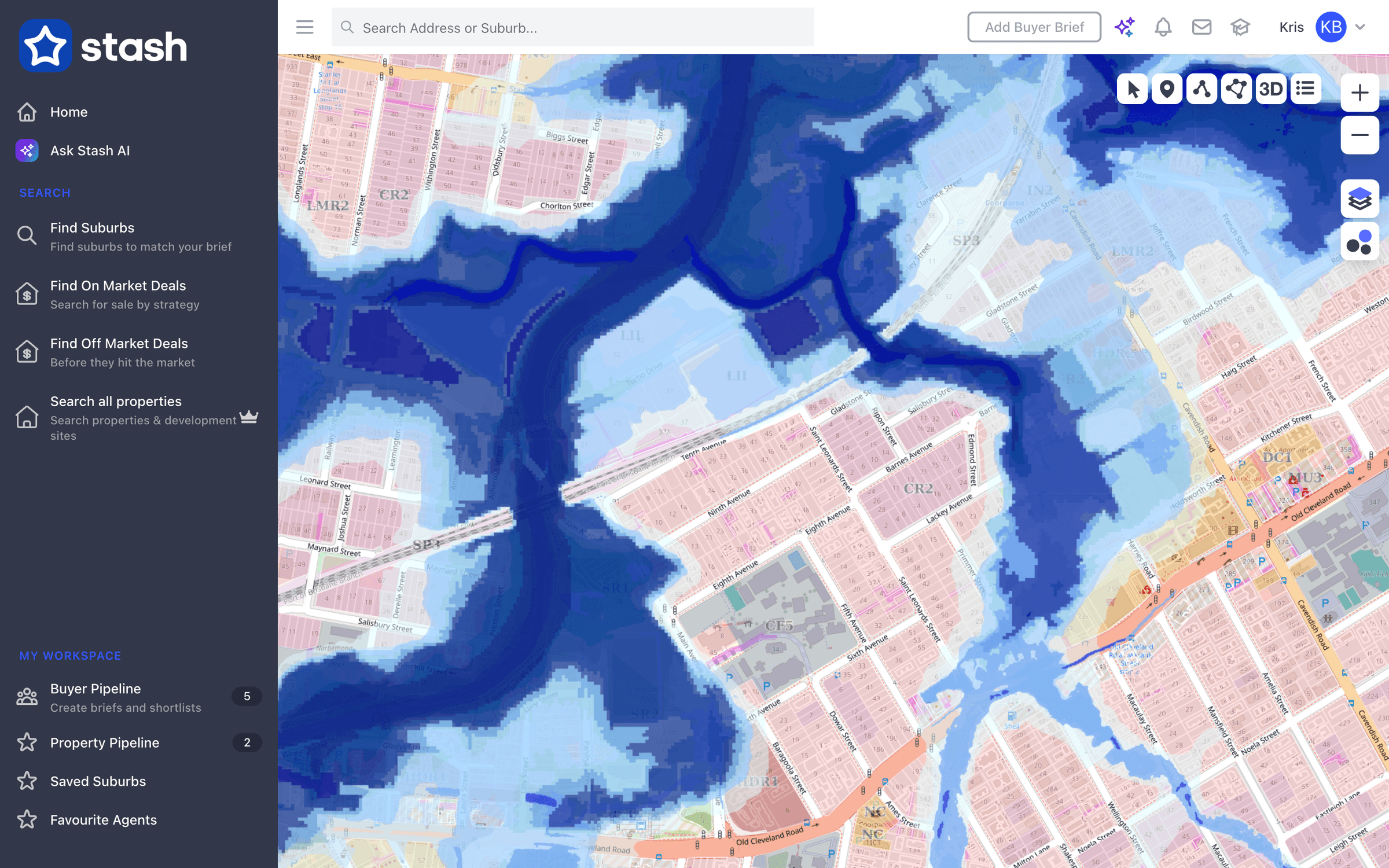
To view bushfires inside Stash, just simply follow the steps below:
- Select your target property.
- Once done, click the ‘Bushfire’ tick-box on the upper right-hand corner of the Stash page.

- For richer information, just click on ‘Planning Info’ and you will have the details regarding the hazards of the property with the links as your reference.


To view and check flooding inside Stash, please refer to the steps below:
- Select your target property.
- Once you have your target property, click the ‘Flooding’ tick-box on the upper right-hand corner of the Stash page to see the results.

- Go to ‘Planning Info’ to get further details regarding the flooding and bushfires hazards as well as their references.


These new additions are very simple and easy to use even if you’re not tech-savvy.
So give it a whirl, and ensure your property research is looking at Fire and Flood risks.
Contact our Customer Support Champion for any assistance.
Send an email to support@stashproperty.com.au or chat with us directly now at stashproperty.com.au.
References:
- https://www.iag.com.au/sites/default/files/Documents/Climate%20action/IAG-Flood-Fact-Sheet.pdf
- https://www.qra.qld.gov.au/sites/default/files/2020-12/0576_qra_bushfire_guideline_v10_pages_print.pdf
- https://quilpie.qld.gov.au/wp-content/uploads/2019/06/2018-Bushfire-Fact-Sheet.pdf