

Put property data to work in your day-to-day business
Property APIs aren’t just for software companies building the next Proptech platform.
Buyers agents, selling agents, mortgage brokers and other property professionals can now use APIs to automate repetitive parts of their day-to-day work.
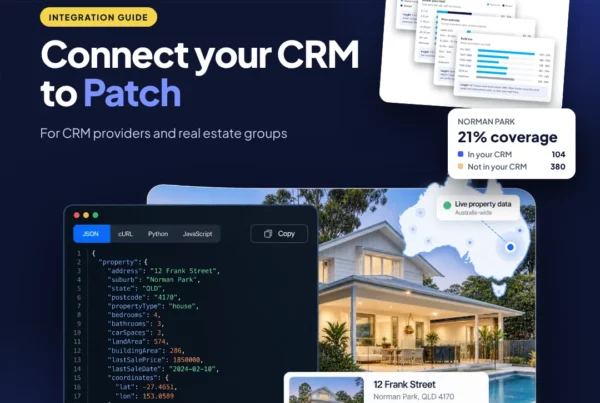
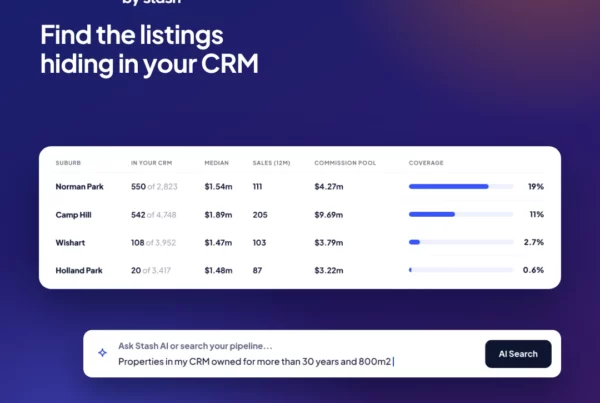
Connect property data with your CRM, internal systems, AI tools and workflow automations to automatically research properties, enrich client records, prepare reports, assess opportunities and complete due diligence.
With tools like ChatGPT, Claude, Claude Code, Make, Zapier and other automation platforms, accessing property data through an API is becoming far more accessible — even if you’re not building a public-facing application.
The opportunity is simple: spend less time finding, copying and checking property information, and more time working with clients and making decisions.
Want to automate your property workflows?
Connect Australian property data directly to your AI tools, CRM or internal workflows.
Use property APIs to automate research, due diligence, client reporting and everyday property tasks.
1. Property & Suburb Lookup API
Start every workflow with the right property.
The Property & Suburb Lookup API lets your workflows identify and validate real-world Australian properties rather than relying on manually entered addresses.
Instead of staff repeatedly searching for an address, copying it between systems and checking they have the correct property, your workflow can identify the property once and use it to trigger additional property data automatically.
Workflow ideas:
• Validate properties entered into your CRM
• Turn an address from an enquiry into a property record
• Trigger property research automatically
• Match client requirements against real properties
• Standardise property data across your business
Quick & easy property & suburb autocomplete
API or MCP — which should you use?
Both give you access to property data, but they’re designed for different types of workflows.
Use MCP with AI
Best when you want AI to access property data while you work.
Connect Stash to tools like Claude and other MCP-compatible AI tools and ask questions using natural language.
Great for:
• Researching a property
• Comparing properties or suburbs
• Running buyer due diligence
• Finding comparable sales
• Analysing market data
• Asking follow-up questions about a property
MCP = AI asks for the data.
Use the API for automation
Best when you want property data to flow automatically between systems.
Connect Stash property data to your CRM, internal systems, Make, Zapier, custom workflows or your own software.
Great for:
• Enriching new CRM records
• Triggering property research automatically
• Generating reports
• Updating client or property records
• Running checks when properties are added
• Building repeatable internal workflows
API = your workflow asks for the data.
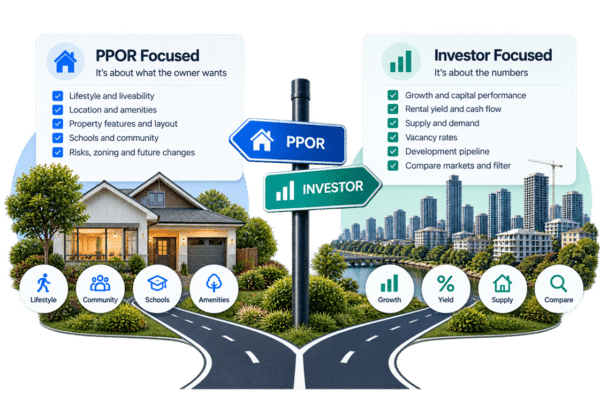
You can also use both. For example, an API could automatically enrich every property added to your CRM, while MCP lets your team use AI to analyse that property, compare it with others or ask follow-up questions.
2. Property Profile API
Automatically build a property profile instead of researching it manually.
Once you know the property, the Property Profile API can return detailed information including property attributes, beds, baths, car spaces, build year, sales history, RPD information and market status.
This makes it useful for automatically enriching CRM records, preparing property research, creating client reports or giving an AI assistant the information it needs to analyse a property.
Workflow ideas:
• Enrich a new property added to your CRM
• Prefill appraisal or prospecting records
• Build property summaries for buyers
• Give an AI agent structured property information
• Automatically prepare research before a client meeting
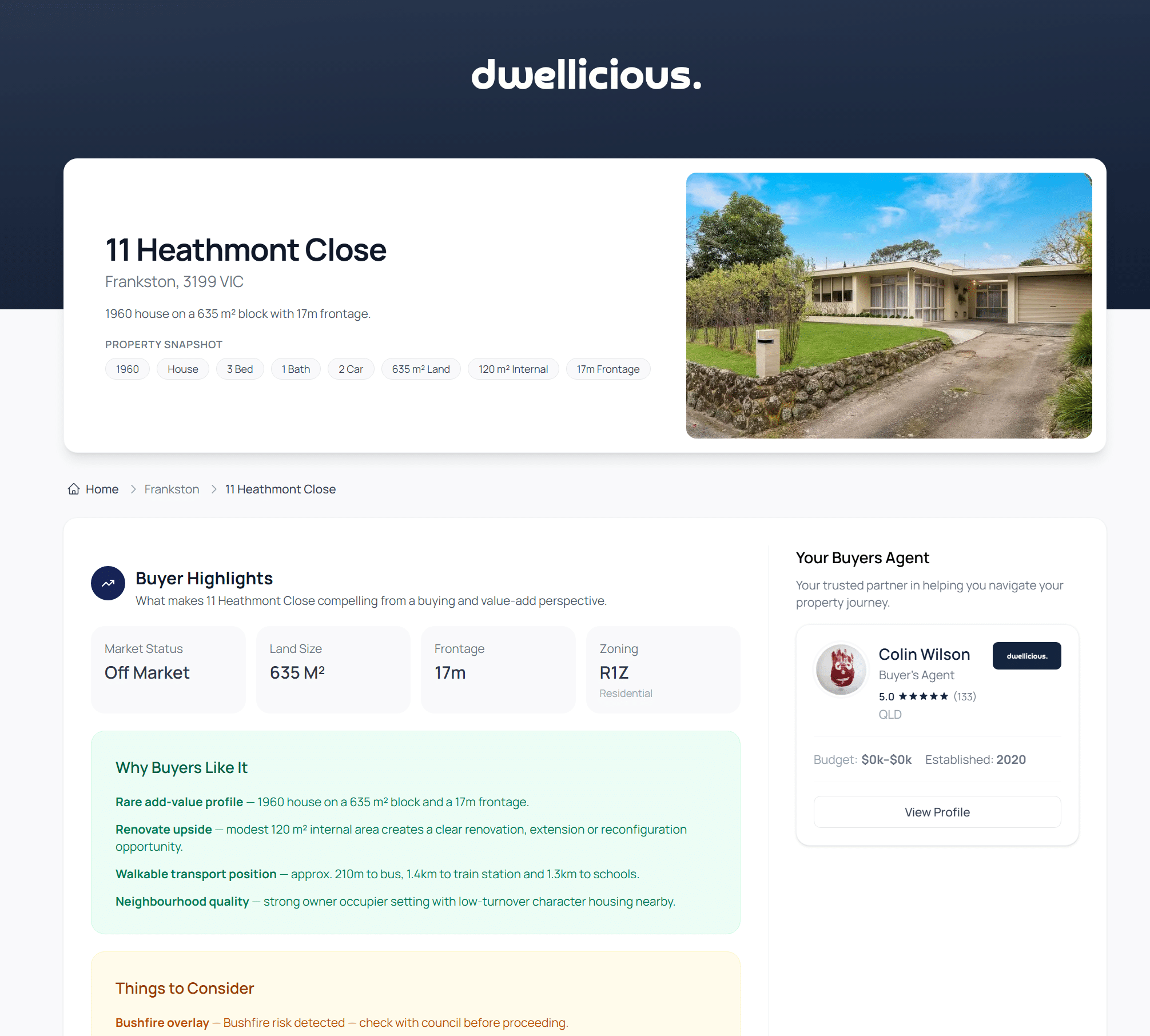
Create your own reports. Automatically send our CMA PDF or live digital property report
3. Property Estimate API
Add property estimates to your workflow automatically.
The Property Estimate API provides current property estimates, price bands and confidence indicators that can be incorporated directly into your internal processes.
Rather than looking up values property-by-property, estimates can form part of automated prospecting, client research, buyer assessment and appraisal workflows.
Workflow ideas:
• Add an indicative value when a property enters your CRM
• Prioritise prospects based on estimated property value
• Compare a buyer’s budget against potential properties
• Include estimates in automated client reports
• Give AI workflows additional context when analysing a property

What’s your property worth?
4. Nearby Sales API
Automate comparable sales research.
Finding relevant sales is one of the most repetitive tasks across real estate. The Nearby Sales API lets your workflows retrieve recent sales around a property or area automatically.
Use it to accelerate appraisal preparation, buyer due diligence, property reviews and client reporting without repeatedly jumping between property platforms.
Workflow ideas:
• Automatically retrieve comparable sales for an appraisal
• Prepare recent sales before a listing presentation
• Generate buyer due diligence summaries
• Compare asking prices against nearby transactions
• Feed comparable sales into an AI-generated property analysis

Comparable Market Analysis in seconds
5. Suburb Statistics API
Bring market research directly into your workflows.
The Suburb Statistics and Timeseries APIs provide market and demographic information that can be used automatically when researching an area, qualifying opportunities or preparing information for clients.
Data available includes median prices, growth, rental yield, vacancy rates, market absorption, sales volumes, owner occupier statistics, population, social housing indicators, school ICSEA scores and more.
Workflow ideas:
• Automatically research suburbs matching a buyer brief
• Add market statistics to client reports
• Rank areas against investment criteria
• Enrich CRM records with suburb intelligence
• Ask AI to compare multiple suburbs using structured market data
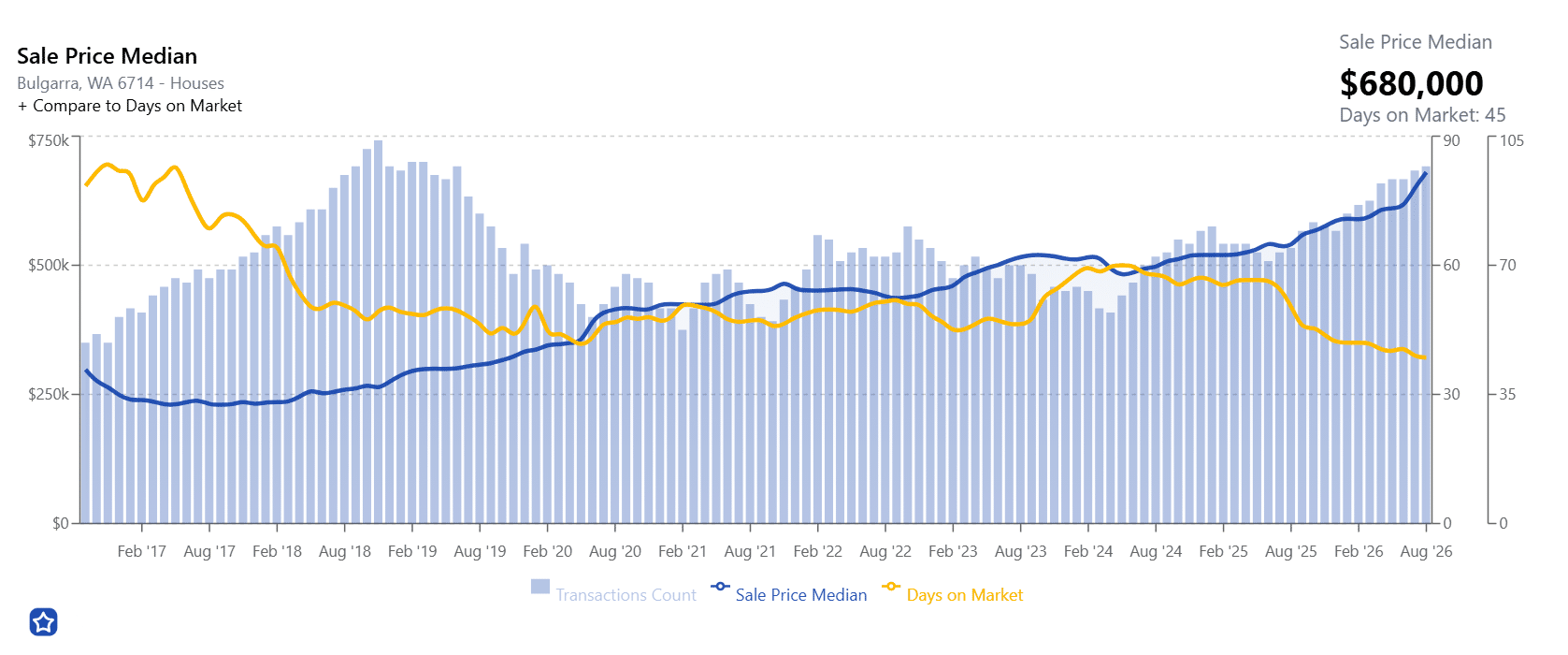
Create your own suburb charts with your /timeseries endpoints
6. Property Planning & Risks API
Make due diligence part of the workflow — not another manual task.
The Property Planning & Risks API provides zoning, planning and risk information that can be automatically checked whenever your team is assessing a property.
Property proximity information can also help identify features that may positively or negatively affect a property, helping buyers agents, selling agents and other property professionals identify issues earlier in their process.
Workflow ideas:
• Automatically check risks when a buyer shortlists a property
• Flag planning or zoning considerations for review
• Add due diligence information to property reports
• Create automated property checklists
• Ask AI to summarise potential risks before your team reviews a property

Know more about every property
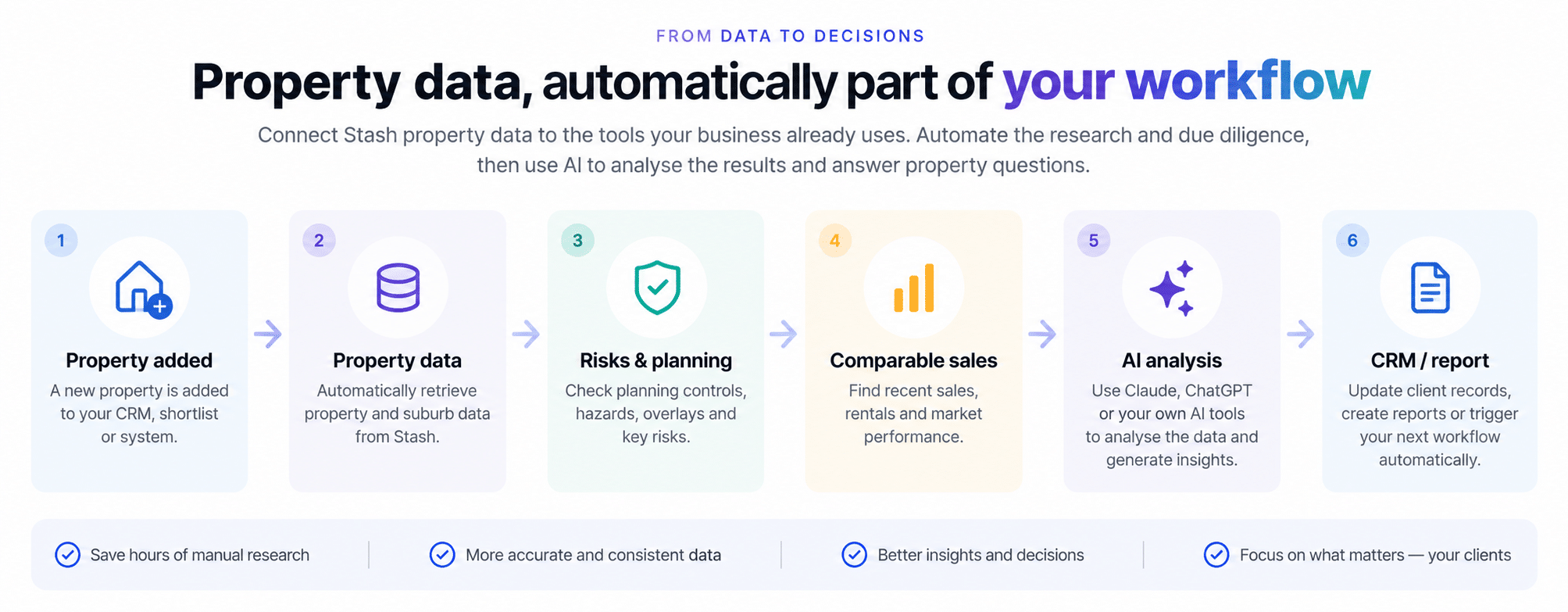
What could you automate with property data?
Connect Australian property data to your AI tools, CRM and everyday workflows. Automate the repetitive property research your team is already doing and put property data to work inside your business.