


Updated November 2026: Development Projects now live on the Development Activity page, alongside development applications, with a Development Outlook summary, radius or suburb search and time-period filters. The steps below are current.
Development Projects now available in Stash
A vital aspect of the property development journey is searching and gathering all data needed for the prospect property. It’s totally awesome to see a lot of developments going on around us – be it a commercial one, industrial, or residential and so on.
As property development professionals are keen in searching all possible resources at hand, we’ve taken this opportunity to help them better through our existing features plus the newly released Development Projects feature powered by BCI Central which gives more in depth information of the Project details and Contact details.
We really want to add more value to every Stash user’s experience and are excited for you to do a spot check on this in our platform.
Powered by BCI Central


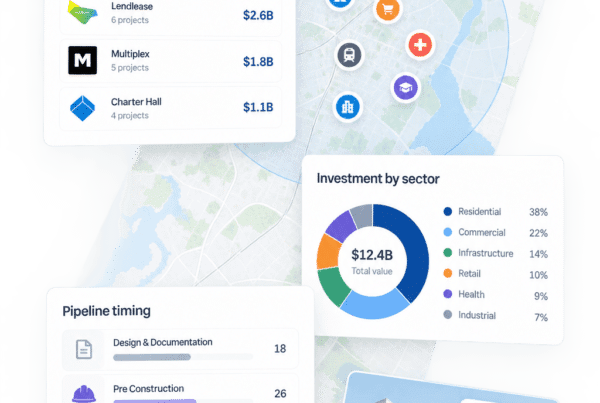
Development Projects. Powered by BCI. Click to enlarge image
”Development Projects are a great way to get an understanding on what is coming down the development pipeline to see if projects are viable. It's a great way to get know who the local developers are in your area.
Lee RussellCo-Founder | Partnerships
How significant is the Development Project in property development?
Development Projects help you understand active developments in the area while getting richer and detailed information for the property being developed. Data provided is aggregated from all councils and is generated from BCI Central. Finding a handful of profitable development projects is easy with property research and management platforms like Stash.
Unlike development projects, finding Development Applications was traditionally a timely process of scrolling through individual local council websites to hunt down relevant information for your property in question. Stash technology takes the time out of this process.
Development Projects add the larger projects in your area of interest, with their stage, value, new dwellings and contacts. Development applications lodged with councils sit on the same Development Activity page, on their own tab (see View recent development applications).
Stash works hand in hand with BCI Central!
BCI Central Australia is one of the pioneers in providing construction information and software solutions across the country.
Stash is proud and privileged to have this integration with the effort of being more efficient in providing wider scope of development project information to our customers and soon to be users – the property development professionals and investors across Australia. Moving forward, with BCI, Stash aims to provide authentic and up-to-date information to all.
How to explore Development Projects in Stash?
We want you to be aware of all the changes and happenings going around you and that includes any constructions going on, new infrastructures, buildings, commercial centres, townhouses, and a whole lot more as this will help any property development enthusiast where to position their future developments.
We’ve got you covered! Say hi to Stash’ Development Projects feature where data is just right at your fingertips.
To view this inside Stash, kindly check the steps provided below on where to locate this:
- Log in to Stash.
- Search for your target property, click it on the map, or select one of your saved properties in Property Pipeline.
- Open the Planning Insights tab. The Development Projects card shows how many projects were found within 2km, how many new dwellings they include and their total value.
- Click View development summary. This opens Development Activity on the Development Outlook tab, with key takeaways (beta) and charts such as new dwellings by stage. You can also open Development Activity from the side menu, under CURRENT FOCUS.
- Under RADIUS OR SUBURB, choose 1km to 5km, or the whole suburb, then a Time period (last 6, 12 or 24 months), and click SEARCH.
- Open the Development Projects tab to see each project with its category, type, value and contacts. Stages of the Development Projects are identified through the dots next to each project.
- Click View project details. The Project Details tab shows the DA number, status, stage, value and timeline, and Contact Details lists the companies and contacts involved. Click Open project in BCI central for the full record.
Development Projects is a paid add-on. The card shows active, trial or add plugin; to add it, go to the Billing Centre from the profile menu. Full steps: Check development projects.
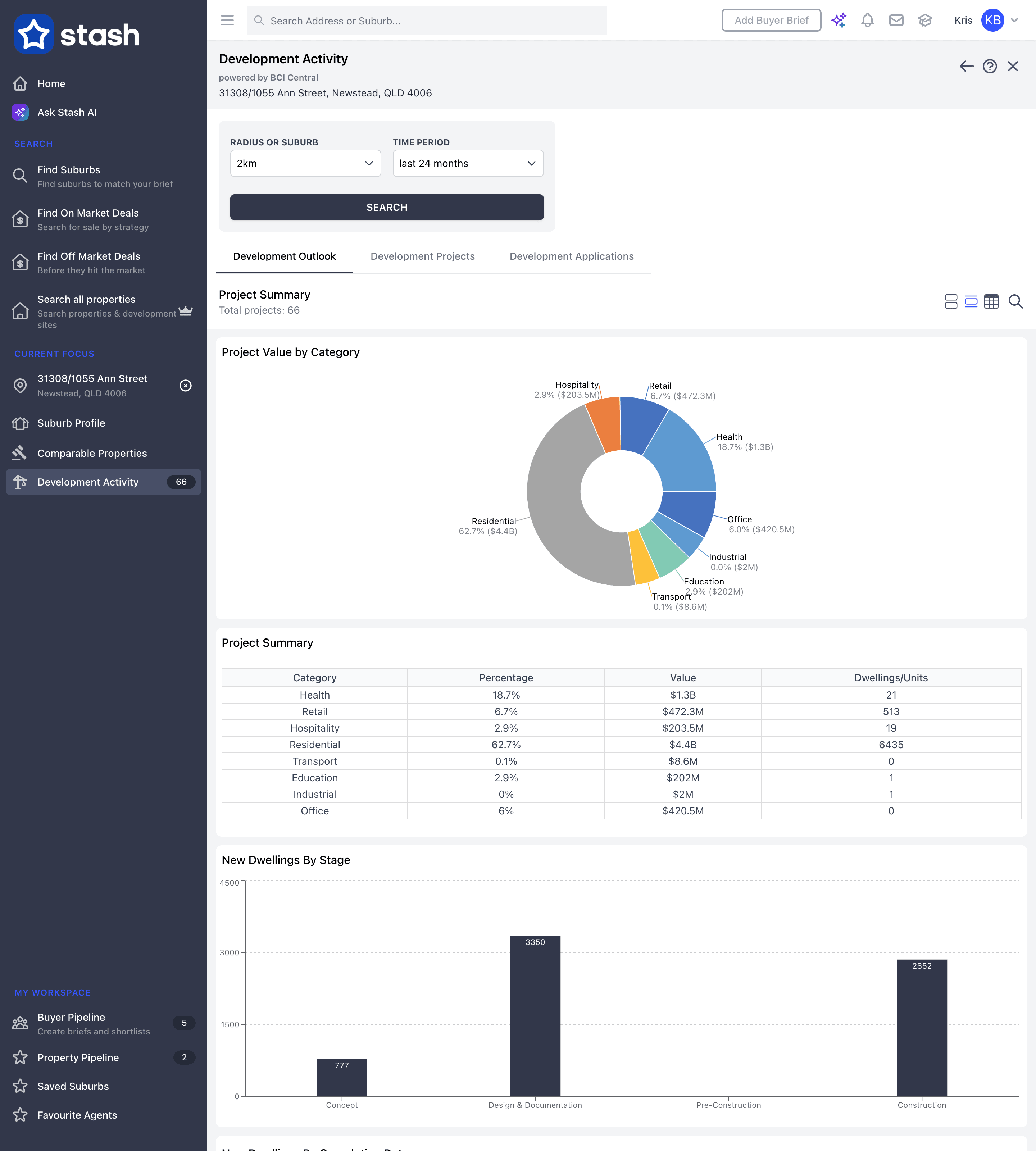


Development Projects. Powered by BCI. Click to enlarge images
The 4 Key Construction Project Stages:

Concept
- Proposing the project
- Evaluating the business model
- Deciding whether to proceed
- Appointing designers, consultants and engineers
-

Design & Documentation
- Defining how projects fit into the local area
- Defining exterior characteristics and specifying exterior products
- Submitting plans for approval and gaining approval
- In-depth planning and drafting of architectural drawings or schemes
- Specification of products to be used internally
- Engaging consultants and engineers
- Preparation of tender documentation
-

Pre-construction
- Advertising for contractors to submit a bid/proposal
- Contractors source pricing for specified products, labour, or services
- Shortlisting preferred contractors
- Evaluating contractors based on price, quality, experience, timeframe and choice of subcontractors
- Awarding main contract
-

Construction
- Selecting trades/subcontractors
- Establishing site presence/commencing early and enabling works
- Commencing building works
- Managing construction budgets and timeframes
-
While projects can be rewarding and give impressive returns, developers face numerous challenges from start to finish. The most successful ones are those who know how to acknowledge, plan, and reduce those risks that may arise along the way.
Each project – big or small – is unique and as such, can have varying impacts on those around them.
You don’t want to miss this game changer opportunity. So, get up and make your way to our site. Sign up for our free trial and start finding great deals fast!
Happy Stashing!